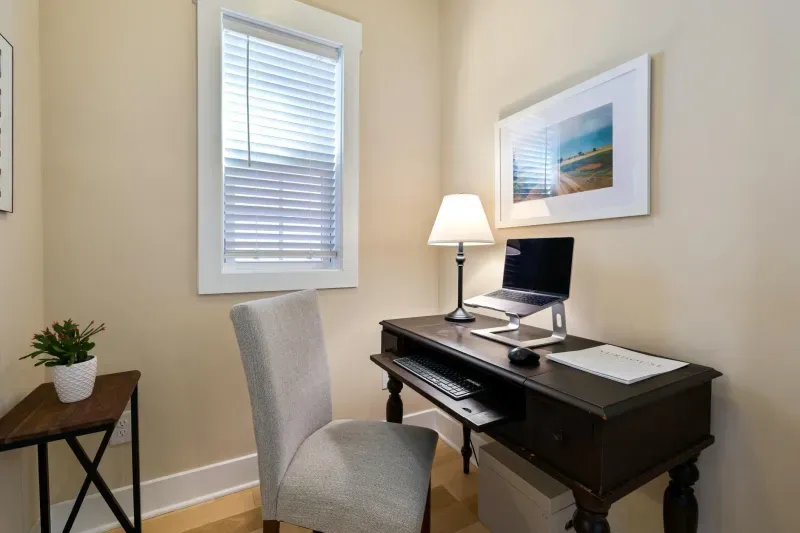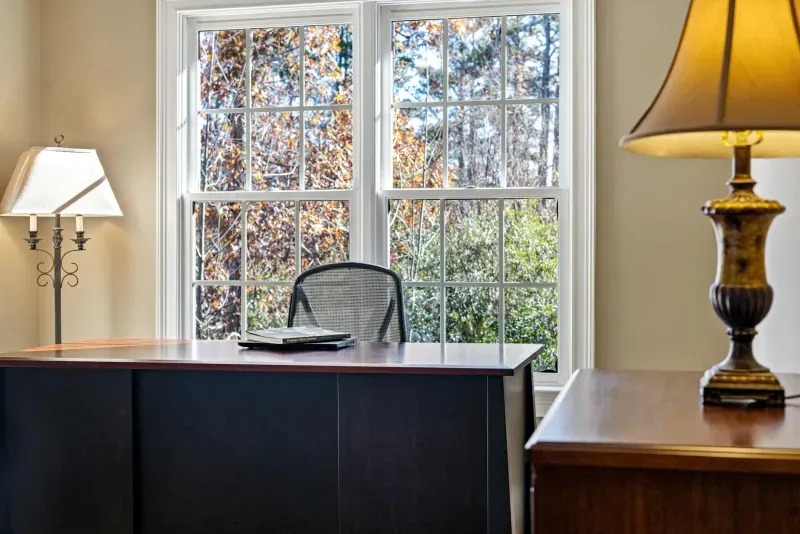
Productivity at home is not only discipline, apps or time-blocking. The room pushes you toward focus or away from it. Bad light, heat, noise, clutter, poor screen height and an uncomfortable chair all create small amounts of friction. You may not notice each one, but together they decide how hard the workday feels.
I spent a long time reading about productivity methods before accepting a simpler truth: many of my worst workdays were not caused by my planning system. They were caused by the room. Too cold in winter, too warm in summer, screen glare in the afternoon, cable clutter, a chair position that made movement annoying.
This guide focuses on the physical environment: light, temperature, noise, order and layout. The fixes are not glamorous, but they often work faster than another productivity app.
Light: the underestimated factor
Light affects energy, eye strain and mood. Poor lighting makes the eyes work harder, encourages leaning toward the screen and can make a room feel tiring even when the workload is normal.
The best setup for most home offices is natural light from the side, plus task lighting when needed. A window directly behind the screen creates glare. A window behind you can reflect on the display and make video calls harder. Side light is easier to control.
If you can, place the desk perpendicular to the window. Use blinds or curtains to control direct sun. If the room gets dark in the afternoon, add a task light rather than relying only on the ceiling lamp.
What does not work
Ceiling light alone is usually not enough. It lights the room but not the work surface. You end up with a bright screen in a dim environment or shadows on the desk.
Very warm light can feel comfortable in the evening, but it may make focused work feel sleepy. Very cold light can feel harsh. Neutral light around 4,000 to 5,000 K works well for many desk tasks.
For a deeper setup, read how to improve workspace lighting and screen eye strain fixes.
Temperature: the silent focus killer
Temperature changes how the workday feels. When the room is too cold, the body tenses. When it is too warm, attention slows and sleepiness rises.
For many people, the comfortable range for desk work is around 21 to 24 C. It does not need to be exact, and personal preference matters, but if your room is below 18 C or above 28 C, productivity problems may not be psychological at all.
The first fix is measurement. A cheap thermometer can explain patterns you have been blaming on motivation. If your focus collapses every afternoon and the room is 29 C, the problem is not your task manager.
Cold rooms
In a cold room, shoulders rise, hands get stiff and movement breaks become less appealing. Small ceramic heaters, better clothing layers and closing gaps around windows can help. Do not aim for a tropical room. Aim for a stable room where your body does not spend the morning bracing.
Hot rooms
Hot rooms need a layered approach:
- Block sun before it enters.
- Ventilate when outside air is cooler.
- Close blinds before the room heats up.
- Reduce heat from screens and chargers.
- Use a quiet fan to move air.
For the full summer routine, read working from home in hot weather.
Noise: not total silence, but control
Total silence is not required for productivity. Many people work well with low, predictable background sound. The problem is unpredictable noise: doors, neighbours, traffic peaks, family interruptions, calls in the next room.
Noise matters because it breaks deep work. Even if you return to the task quickly, the cost repeats all day.
Start by identifying the type:
- External noise: traffic, neighbours, school, construction.
- Household noise: family, appliances, doors, pets.
- Room echo: your own voice bouncing during calls.
- Digital noise: notifications, pings, open tabs, phone vibration.
Each one has a different fix. External noise may need window control, scheduling or headphones. Echo needs rugs, curtains, panels or microphone placement. Digital noise needs settings and discipline, not acoustic treatment.
Common mistakes with noise
Music with lyrics is poor background for writing, coding or reading because it competes with language processing. If you use music, instrumental or low-intensity sound usually works better.
Noise-cancelling headphones help, but they are not the same as a quiet room. They protect your ears. They do not always improve what your microphone sends to others.
If noise is a serious issue, read how to soundproof a home office without renovation.
Visual order and desk reset
Clutter is not morally bad. A lived-in desk is normal. The problem is visual noise that forces decisions or blocks the next task.
A productive desk does not need to be empty. It needs to make the next action obvious.
Keep visible:
- Keyboard and mouse.
- Main screen.
- Notebook or paper if you actually use it.
- Water.
- One or two tools needed for the current task.
Move away:
- Old mugs.
- Chargers not in use.
- Loose packaging.
- Papers not related to current work.
- Cables crossing the work surface.
My favourite habit is the five-minute end-of-day reset. Put the desk back to a usable starting position before closing work. It is easier to start well tomorrow if the desk is not asking for cleanup before the first task.
For the cable part, use desk cable management for a cleaner home office.
Layout matters more than it looks
Where the desk sits affects light, temperature, noise and posture.
A few practical rules:
- Place the desk perpendicular to the window when possible.
- Keep the main monitor centred.
- Do not force the chair against a wall if it stops you from moving.
- Avoid placing the microphone in the echoiest corner.
- Leave enough space to stand without pushing the chair into furniture.
- Keep frequently used objects close, but not all objects visible.
In small rooms, every centimetre matters. A slightly smaller desk with better monitor distance can be more productive than a large desk that blocks movement. The small apartment home office guide covers that trade-off.
The body is part of the environment
Productivity drops when the body is uncomfortable. A bad chair, low screen or high desk creates physical friction that shows up as procrastination, irritability or shallow work.
Before changing apps, check:
- Is the screen at eye level?
- Are shoulders relaxed while typing?
- Is the lower back supported?
- Are feet supported?
- Can you move every hour without rearranging the room?
This is why ergonomics and productivity are connected. The home office ergonomics guide is a productivity guide in disguise.
What I changed and what I noticed
The changes that helped most were not the most exciting ones.
Changing desk orientation. Moving the desk so light came from the side reduced glare and afternoon eye fatigue.
Measuring temperature. Once I knew the room was too cold in winter and too warm in summer, the pattern made sense. A thermometer is a boring but useful productivity tool.
Keeping the desk reset. Five minutes at the end of the day changed how quickly I started the next morning.
Using headphones only when needed. Wearing them all day can be tiring. Using them for deep-work blocks is more sustainable.
Improving screen height. It reduced neck tension and made longer focus blocks easier.
Things I would not overvalue: wall colour, decorative plants as a productivity tool, or perfect minimalism. They can make a room nicer, but they did not change my output as much as light, temperature, noise and posture.
A simple environmental audit
Run this when productivity feels worse than it should:
| Factor | Question | First fix |
|---|---|---|
| Light | Am I squinting or seeing glare? | Move desk, adjust blinds, add task light |
| Temperature | Is the room under 20 C or over 26 C? | Measure, heat, ventilate, fan or shade |
| Noise | What interrupts me most? | Headphones, seals, rug, mic placement |
| Desk order | Is the next task obvious? | Remove unrelated items |
| Layout | Can I move easily? | Reposition chair, desk or storage |
| Ergonomics | What hurts by 5 p.m.? | Chair, screen, keyboard or breaks |
Do not fix all six at once. Pick the one that causes the most daily friction.
Productivity problems by symptom
The room often announces the problem through how the day feels.
”I start fine but crash after lunch”
Check temperature, meal size, ventilation and screen brightness. Afternoon crashes are often environmental. A warm room, closed door, stale air and a bright screen can make even simple work feel slow.
First fixes:
- Ventilate before the afternoon block.
- Reduce direct sun.
- Lower monitor brightness if it is excessive.
- Take a short walk after lunch.
- Use a fan before the room peaks.
”I cannot get into deep work”
Check noise and visual clutter. Intermittent sound and a messy desk both create restarts. The goal is not silence or minimalism. The goal is fewer interruptions competing for attention.
First fixes:
- Put phone out of sight.
- Close unnecessary tabs.
- Clear only the central desk area.
- Use headphones for one timed block.
- Move the desk if the noisiest wall is beside you.
”My body distracts me”
Check ergonomics. If you shift constantly, lean forward, stretch the neck, rub the wrist or stand up stiff, the body is interrupting work.
First fixes:
- Raise screen.
- Bring keyboard and mouse closer.
- Support feet.
- Adjust chair.
- Use a two-minute movement break.
”Calls drain me more than deep work”
Check acoustics, lighting and camera position. Calls are tiring when you strain to hear, worry about background noise or sit under bad lighting.
First fixes:
- Improve microphone position.
- Use headphones.
- Face side light, not backlight.
- Reduce room echo.
- Keep water nearby.
A 30-minute home office reset
When the room feels wrong but you do not know why, do this once:
- Take a photo of the desk from the doorway.
- Remove anything unrelated to today’s work.
- Check screen height and centre position.
- Sit down and check shoulders, elbows and feet.
- Turn off one device or charger you do not need.
- Open blinds or adjust them to remove glare.
- Measure temperature.
- Record 20 seconds of call audio and listen.
- Route one visible cable out of the way.
- Set a break timer for the next work block.
This is not a redesign. It is a reset. You will usually find one or two obvious issues immediately.
What is worth spending money on?
Spend only after you know the friction.
Good early spends:
- Desk lamp or task light if glare or dim light is persistent.
- Quiet fan if the room gets hot.
- Footrest if chair height leaves feet unsupported.
- Monitor arm if the screen cannot reach eye level.
- Rug or curtains if calls echo.
- Cable tray if the desk is hard to clean or adjust.
Weak early spends:
- Decorative desk accessories before ergonomic basics.
- More storage before removing what you do not need.
- Premium camera before fixing light.
- Expensive productivity gadgets before fixing temperature or noise.
The best productivity purchase is usually the one that removes a daily annoyance.
What to ignore
Some environmental advice sounds precise but rarely changes much:
- Choosing a wall colour because it is supposedly “productive”.
- Buying plants and expecting them to fix focus.
- Making the desk visually perfect for photos.
- Copying a setup from someone with a different room, climate and job.
- Treating minimalism as the goal.
A nicer room can make work more pleasant, and that is worth something. But if the screen reflects the window, the chair hurts and the room hits 29 C after lunch, decoration is not the priority.
Summary
The physical environment shapes remote-work productivity more than most people admit. Light affects eyes and energy. Temperature affects alertness. Noise breaks deep work. Clutter adds decisions. Layout changes movement and posture.
Before downloading another app or changing your schedule, look at the room:
- Is the light helping or fighting you?
- Is the temperature in a workable range?
- Is noise predictable and controlled?
- Is the desk ready for the next task?
- Does the layout let you sit, stand and move naturally?
For a full buying path, read complete home office guide or budget home office setup. For a real example, read my home office setup in 2026.