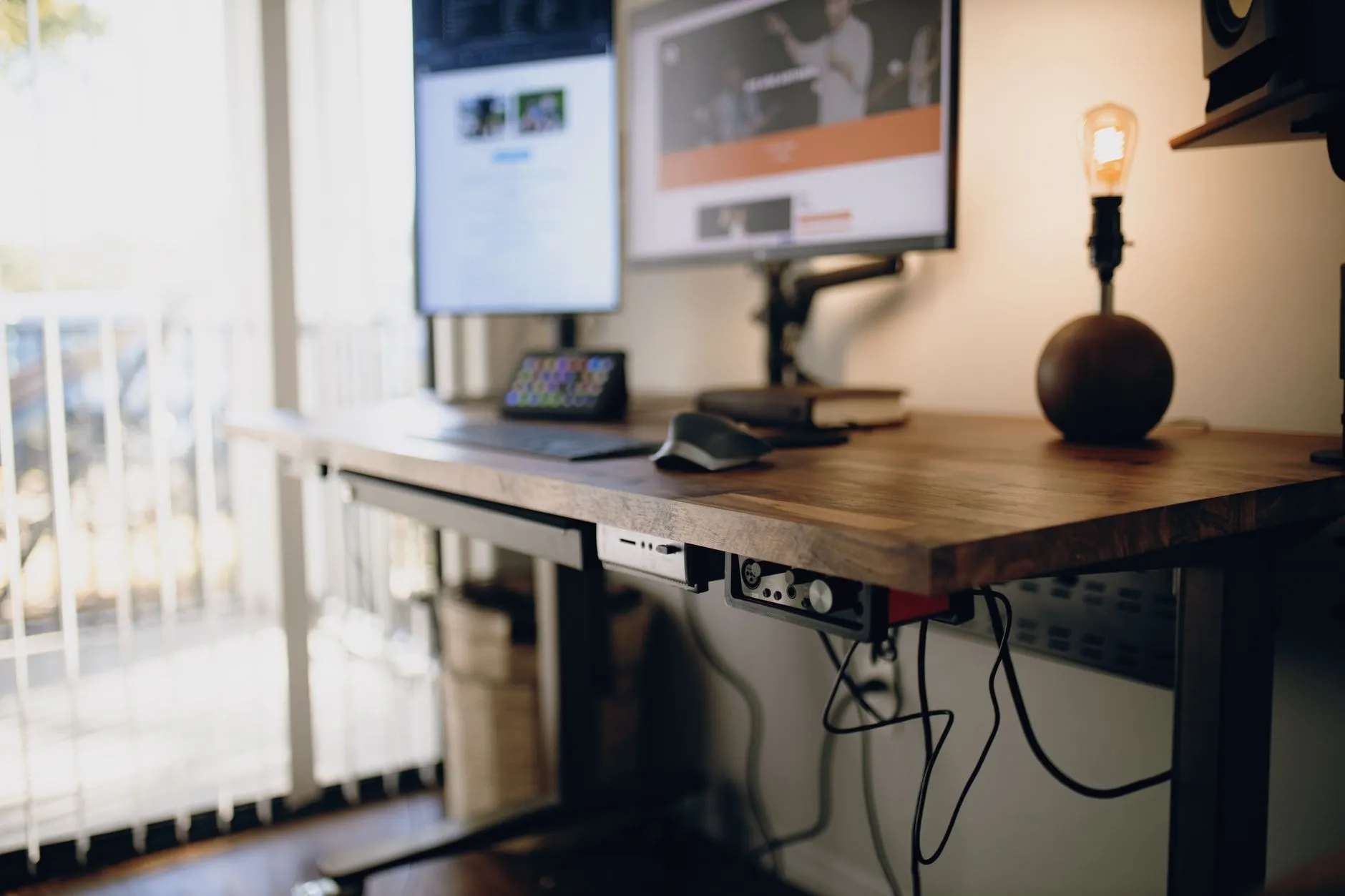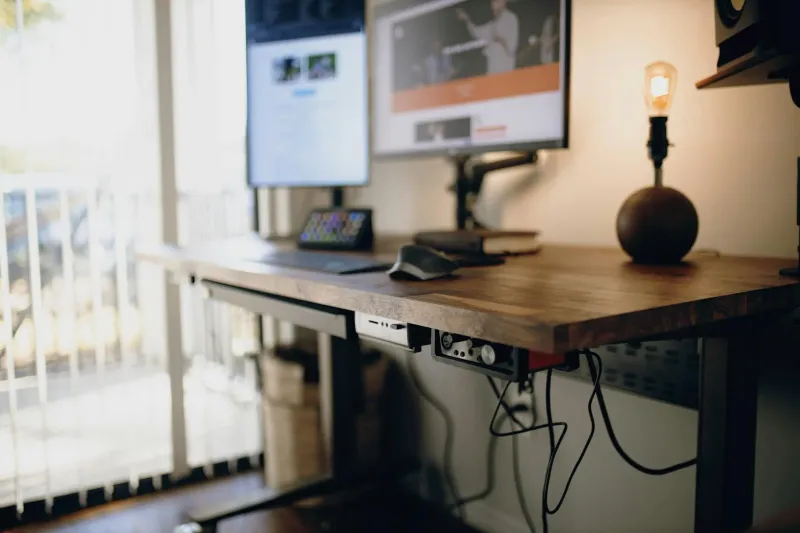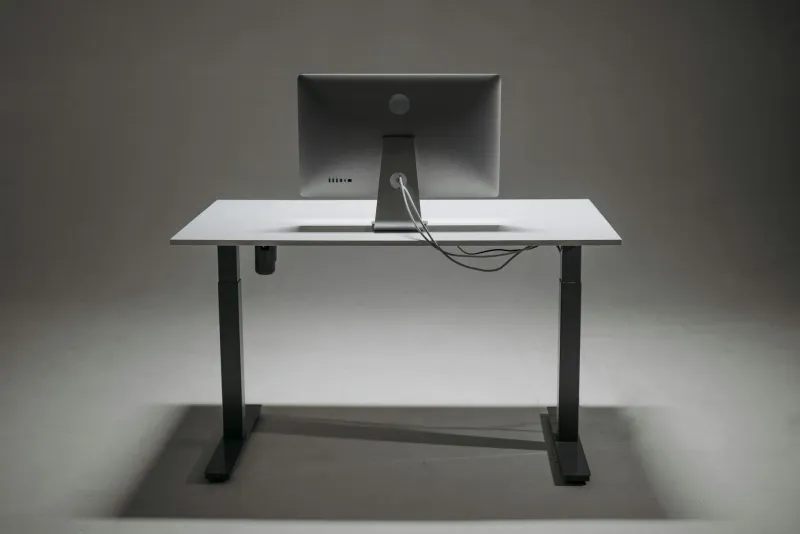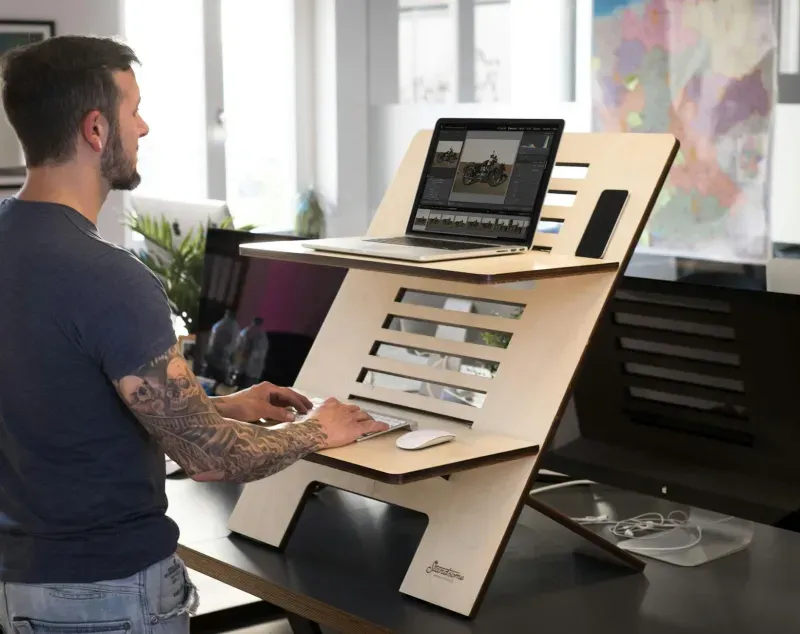
An electric standing desk is not a cure for back pain. It is a tool that makes movement easier. That distinction matters. If the desk changes height quickly, quietly and with memory presets, you are much more likely to stand for short blocks during the day instead of sitting for eight hours straight.
I use a FlexiSpot standing desk in my own home office, but I do not work standing all morning. The useful pattern is smaller: sit, stand after lunch, sit again, stand for a short late-afternoon block. That is why I care more about stability, motor feel and presets than gimmicks like USB chargers on the control panel.

FlexiSpot EC5 PRO
A robust frame-only choice with high load capacity, memory presets and the kind of stability I would prioritise for a long-term home office.
Checked: 05/24/2026
Frame-only vs complete standing desk
The first decision is not the brand. It is whether you want a complete desk or just the motorised frame.
A complete desk is easier: desktop, frame and controls arrive together, and you can build it in one session. It is usually the cheaper way to start. A frame-only desk makes sense if you want a better desktop, a custom size or a more solid long-term setup.
If you use a monitor arm, check the desktop thickness and clamp area before buying. Thin split desktops can flex under a heavy monitor arm. For a serious work setup, I prefer a thicker single-piece top where possible.
Frame-only desks also make sense if you already own a good wooden top. Many remote workers underestimate the desktop and overfocus on the motor. A stable frame with a poor, thin, split desktop can still feel cheap. A good top with enough depth makes monitor distance, keyboard position and cable management much easier.
Complete desks are still the simplest choice for most people. They remove compatibility decisions and make the purchase more predictable. If you are buying your first electric standing desk and do not have strong preferences about the desktop, a complete model is usually less stressful.
My rule:
- Choose frame-only if you care about long-term stability, desktop quality or custom sizing.
- Choose complete desk if you want an easy purchase and predictable assembly.
- Avoid very shallow tops unless the room leaves no alternative.
- Avoid split tops if you plan to clamp heavy monitor arms.
Best electric standing desks compared
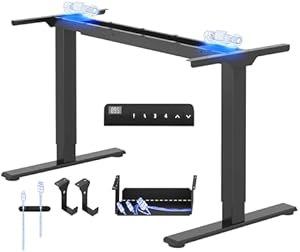
FlexiSpot EC5 PRO
Checked: 05/24/2026
Frame-only desk with strong load capacity, memory presets and better long-term stability than most budget complete desks.
FlexiSpot E1 PRO
Checked: 05/24/2026
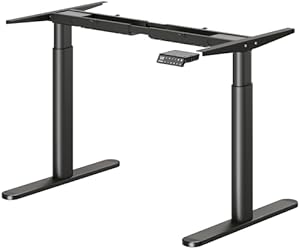
A more affordable FlexiSpot frame with dual motors and memory presets. A good middle ground if you already have a desktop.
Maidesite EL2 Pro Art
Checked: 05/24/2026
A heavy-duty frame option with strong load capacity and a cleaner leg design. Best for large desktops or heavier monitor setups.

SANODESK QS+ 160 x 60 cm
Checked: 05/24/2026
Complete desk with a wide desktop, digital controller and a practical balance of size, features and setup simplicity.
ErGear 140 x 70 cm
Checked: 05/24/2026
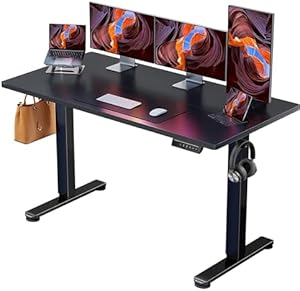
A strong starter choice if you want a complete electric desk without building a custom setup around a separate frame.

JUMMICO 140 x 60 cm
Checked: 05/24/2026
The budget route into electric height adjustment. Best for trying a sit-stand routine before investing in a heavier frame.
How I evaluate standing desks
The spec sheet matters, but daily use matters more. I evaluate standing desks around five practical questions.
Does it wobble while typing?
Almost every electric desk moves a little at standing height. The problem is not tiny movement. The problem is wobble that distracts you while typing, using a mouse or moving a monitor arm.
Stability depends on frame design, desktop weight, width, height and floor level. A desk can feel stable seated and annoying when raised. If you use a large monitor, two screens or an arm, prioritise stability over cosmetic features.
Does the height range fit your body?
Many people check maximum height and forget minimum height. If the desk does not go low enough, seated posture suffers. Your elbows should sit near desk height with shoulders relaxed. If the desk is too high, you compensate by raising the chair and then need a footrest.
Use correct desk and chair height before buying.
Are memory presets easy to use?
Memory presets are not a luxury. They turn height adjustment into a habit. Without presets, many people stop alternating because holding a button and fine-tuning height several times a day is annoying.
I want at least two reliable presets: sitting and standing. More is useful if two people share the desk.
Is the desktop deep enough?
Width gets attention, but depth affects posture. A 140 cm wide desk with only 50 or 60 cm depth can still put the monitor too close. For an external monitor, keyboard and mouse, 60 cm is the practical minimum. 70 cm feels much better if the room allows it.
Can cables move safely?
Standing desks need cable slack. If cables are fixed like a normal desk, the first height change can pull on the monitor, laptop or power strip. Plan the cable route before final tightening. The desk cable management guide covers the setup.
Detailed analysis of each desk
FlexiSpot EC5 PRO: best frame-first option
The FlexiSpot EC5 PRO is the pick I would look at first if you want a more serious long-term setup and are comfortable choosing the desktop separately. It makes sense for people who care about stability, load capacity and a cleaner upgrade path.
The advantage of a frame-first desk is flexibility. You can use a better top, choose the size that fits your room, and avoid being locked into a thin desktop that came bundled with the frame. That matters if you use monitor arms, a heavy screen or a custom home-office layout.
Who it suits:
- Remote workers building a permanent desk.
- People who already have a good desktop.
- Setups with monitor arms or heavier equipment.
- Users who want a more robust frame rather than the cheapest complete desk.
Who should skip it:
- People who want one box with everything included.
- Anyone uncomfortable matching frame width and desktop size.
- Very tight budgets where a complete desk is simpler.
FlexiSpot E1 PRO: the accessible FlexiSpot route
The FlexiSpot E1 PRO is the more accessible option if you want the FlexiSpot ecosystem but do not need the heaviest frame. It is a sensible middle ground for a normal laptop-plus-monitor setup.
It is the kind of frame I would consider if I already had a desktop or wanted to keep the budget under control without moving to a no-name frame. The main question is whether your equipment is light enough and whether the height range suits your body.
Best for:
- One monitor and laptop.
- Moderate equipment weight.
- People who want a known brand without going high-end.
- First serious sit-stand setups.
Watch for:
- Desktop compatibility.
- Stability at your standing height.
- Cable routing if using laptop, monitor and dock.
Maidesite EL2 Pro Art: for heavier setups
The Maidesite EL2 Pro Art is the model I would consider when the setup is heavier or wider. If you use a large desktop, multiple screens or a more demanding monitor arm setup, the frame has to feel calm at standing height.
This is less about standing-desk marketing and more about mechanical confidence. A heavier-duty frame is not necessary for everyone, but it becomes attractive when the workstation is not minimal.
It suits:
- Large desktop plans.
- Dual-monitor workstations.
- Heavier office equipment.
- People who prioritise frame strength over a bundled top.
It is probably overkill if you only use a laptop and one small screen.
SANODESK QS+: best complete-desk balance
The SANODESK QS+ is attractive because it is a complete desk with a wide working surface. For most people, this removes the most annoying buying step: deciding which top works with which frame.
The wider desktop gives room for a monitor, laptop stand, keyboard, mouse and maybe a notebook without everything feeling compressed. That matters if you work all day rather than occasionally.
Choose it if:
- You want a complete desk.
- You need more width than small starter models.
- You do not want to source a desktop separately.
- You want a practical remote-work desk rather than a custom project.
ErGear 140 x 70 cm: strong starter choice
The ErGear 140 x 70 cm is the kind of desk that makes sense when you want to start with electric height adjustment without building a custom setup. The size is the main advantage: 140 x 70 cm is much more comfortable than many narrow desks.
The extra depth helps with monitor distance. It also gives you room for a laptop stand beside an external monitor. For a first standing desk, that practical surface area matters more than extra controller features.
Best for:
- First electric standing desk.
- One or two screens.
- People who value depth.
- Buyers who want a complete package.
JUMMICO 140 x 60 cm: budget entry point
The JUMMICO is the budget route into electric height adjustment. It is not the desk I would choose for the heaviest setups, but it can make sense if you want to test a sit-stand routine and need a complete desk at the lowest reasonable level.
The compromise is depth and long-term robustness. At 60 cm deep, it works, but you need to manage monitor distance carefully. If you use a large screen, a monitor arm may help, but check clamp compatibility and stability.
Buy it if:
- Budget is the main constraint.
- Your setup is light.
- You want a complete desk.
- You accept that this is an entry-level option.
Skip it if:
- You use heavy monitors.
- You need maximum stability at full height.
- You want a desk you will keep unchanged for many years.
What matters in daily use
Stability at standing height matters more than the lowest advertised height. If the desk wobbles when you type, you will stop using it standing. Memory presets also matter: they turn a good intention into a habit. I would rather have a slightly plainer desk with reliable presets than a prettier one that forces me to hold the button every time.
For most remote workers, the sweet spot is a 140 cm wide desk with enough depth for a monitor, keyboard and laptop stand. If space is tight, read the guide to a small apartment home office before buying.
Buying guide: what to check before choosing
Single motor vs dual motor
Single-motor desks can work for light setups, but dual motors usually feel smoother with heavier loads. If you use two monitors, a monitor arm or a large desktop, I would lean toward dual motor.
Load capacity
Do not buy right at the limit. Add the weight of desktop, monitors, arms, laptop, speakers, power strip and accessories. Then leave margin. A desk that technically supports the load may still feel strained if it operates near its maximum every day.
Height range
Check both seated and standing height. If you are shorter or taller than average, this is not optional. A standing desk that is too high when seated can create shoulder and wrist problems.
Controller
Memory presets are worth paying for. A child lock can be useful in shared homes. A fancy app is less important than a reliable physical controller.
Desktop quality
Look for enough depth, a surface that can take clamps, and a top that does not flex under monitor arms. Split desktops are easier to ship but less ideal for heavy clamp pressure.
Room size
Measure chair clearance, walking space and cable route. A desk that fits on paper can still make a small room awkward.
Which one I would buy
For a long-term setup, I would start with the FlexiSpot EC5 PRO and choose a good desktop. For a complete desk with less decision fatigue, I would look at SANODESK QS+ or ErGear depending on the available space. For the lowest practical entry point, JUMMICO is the budget route, but I would keep the setup light.
If you are still unsure whether you will actually use the standing function, read are standing desks worth it? before buying. The best desk is only worth it if it changes your workday.
What I would not compromise on
There are features I would happily skip: app control, built-in USB ports, decorative controller design, RGB lighting, cup holders, and most “smart” extras. There are also things I would not compromise on if the desk is for daily work.
Stability
If a standing desk moves while you type, it stops being a standing desk. You will lower it and use it seated. Stability is the feature that protects the habit.
Correct seated height
Many people buy a standing desk for standing and forget that most work still happens seated. If the desk cannot sit at a comfortable elbow height, it may create shoulder and wrist tension.
Enough depth
Depth protects monitor distance. A narrow desk can force the monitor too close, especially with a laptop stand or monitor arm base. If you use a 27-inch monitor, depth becomes even more important.
Cable slack
A standing desk with badly routed cables is not just messy. It is risky. Cables can pull from ports, power bricks can hang, and monitor arms can snag routes that looked fine when the desk was low.
Common mistakes when buying a standing desk
Buying the cheapest electric desk without checking height range. If it does not fit your seated position, it is not a bargain.
Choosing width but ignoring depth. A wide shallow desk can still feel cramped and visually tiring.
Putting a heavy monitor arm on a weak split desktop. The clamp area matters.
Expecting it to fix back pain alone. It helps movement, but chair, screen height and breaks still matter.
Standing too much in week one. Fatigue makes people abandon the desk before a habit forms.
Skipping anti-fatigue comfort. If standing hurts your feet after 15 minutes, look at floor surface, shoes and mat before blaming the desk.
How to set it up after assembly
After building the desk, do not immediately load it with every device. Set it up in stages.
- Set the seated height with chair and keyboard.
- Save the seated preset.
- Stand and set elbow height.
- Save the standing preset.
- Add monitor and check eye level in both positions.
- Route power and display cables with full travel tested.
- Move from lowest to highest position while watching every cable.
- Place daily accessories only after the core position works.
This sequence prevents the most common problem: building a beautiful desk that is ergonomically wrong.
Best choice by user type
For a permanent home office
Choose a stronger frame such as the FlexiSpot EC5 PRO, especially if you can pair it with a good desktop. This gives you room to upgrade monitors, arms and accessories later.
For a first electric desk
Choose a complete desk such as ErGear or SANODESK. You get the sit-stand function without building a custom workstation around parts.
For a small apartment
Prioritise footprint, cable route and chair clearance. A compact standing desk can work, but it should not block the room. Read small apartment home office before choosing width.
For two monitors
Prioritise stability and desktop depth. A monitor arm may help, but only if the desktop handles clamp pressure.
For a tight budget
Choose the simplest complete desk that meets height and stability needs. Do not overspend on premium controllers before fixing chair and monitor position.
Maintenance and long-term use
Standing desks are mechanical furniture. They need basic care.
- Keep cable routes loose enough.
- Do not overload one side of the desktop.
- Recheck screws after the first weeks.
- Keep the leg path clear.
- Save presets again if chair or shoes change.
- Keep liquids away from the controller.
- Listen for new grinding or uneven movement.
If the desk starts feeling unstable, check floor level, desktop load and frame bolts before assuming the motor is the issue.
Final checklist
- Height range fits seated and standing positions.
- Desktop is deep enough for your monitor.
- Frame is stable at your standing height.
- Memory presets are available.
- Cable route works through full travel.
- Desk fits the room with chair clearance.
- Desktop supports monitor arms if needed.
- You have a realistic standing routine.
An electric standing desk is a good upgrade when it reduces friction. Buy for movement, stability and fit, not for the idea of standing all day.
Practical setup examples
Laptop plus one monitor
This is the simplest remote-work setup. A complete desk around 120-140 cm wide is enough if depth is at least 60 cm. Put the monitor in the centre, laptop on a stand to one side, keyboard and mouse centred to your body.
The main risk is cable clutter. Use one power strip under the desk and leave enough slack for the laptop cable.
Dual-monitor setup
A dual-monitor setup needs more width and more stability. I would prefer 140 cm or wider and a deeper top if possible. If both monitors are on arms, check clamp pressure and total weight.
The main monitor should be centred. If both screens are used equally, angle them inward. Avoid working all day with your neck rotated toward one side.
Small apartment setup
In a small flat, the desk must work as furniture and office equipment. Choose the smallest size that still protects monitor distance. Make the cable route clean and keep the chair able to tuck in.
The standing function can be useful in small spaces because it lets you change posture without leaving the work corner, but the desk should not dominate the room.
Heavy workstation
If you use multiple monitors, speakers, a dock, microphone arm and other equipment, move away from the cheapest complete desks. Prioritise frame strength, desktop thickness and cable management.
Final verdict
The FlexiSpot EC5 PRO is my first choice for a serious long-term frame. SANODESK QS+ and ErGear are easier complete-desk choices. JUMMICO is the budget path if you accept entry-level compromises. The right desk is the one that fits your height, your room and your actual habit of alternating.
Extra questions before checkout
Will you really stand?
If the honest answer is “maybe”, do not buy the most expensive frame first. Choose a sensible complete desk and build the habit.
Is your chair already good?
If not, fix the chair first. A standing desk adds movement, but seated work remains most of the day for most people.
Can the desk move freely?
Check shelves, window sills, wall sockets, monitor cables, lamps and microphone arms. Anything attached to the desk must survive the full height range.
Will someone else use it?
If two people share the desk, memory presets matter more. Each person needs seated and standing heights.
Does the room still work after buying it?
A desk can be ergonomic and still too large for the room. Chair clearance, walking route and visual presence matter in a home.
Internal links worth pairing
If you buy a standing desk, also read:
- Are standing desks worth it? for the habit and routine.
- Desk cable management for safe movement.
- Correct desk and chair height for seated and standing height.
- Small apartment home office if space is tight.
One-month review test
After a month, judge the desk honestly:
- How many times per day do you raise it?
- Do you use standing for specific tasks?
- Does the desk wobble enough to bother you?
- Are cables still clean through the full travel?
- Is seated height actually comfortable?
- Did it improve energy or just add furniture?
If you never raise it, create a simpler trigger: stand for short calls, admin tasks or the first 20 minutes after lunch. A standing desk earns its place through repeated small use, not one long standing block.