An ergonomic keyboard is easy to ignore until your wrists start asking questions. A standard flat keyboard pulls the wrists outward and often keeps them extended for hours. A split or wave keyboard reduces that angle and usually brings the mouse closer to the centre of your body.
I use an ergonomic keyboard because I type for most of the day. The first week felt slower. After that, a flat laptop keyboard started feeling like the compromise it always was.

Logitech Ergo K860
A strong all-round ergonomic keyboard: curved split layout, integrated wrist rest, quiet keys and multi-device wireless connection.
Checked: 05/24/2026
Why the keyboard is the peripheral people ignore
Chairs and monitors get more attention because they are visible. The keyboard is smaller, cheaper and easier to dismiss. But if your work is writing, coding, email, spreadsheets or documentation, your hands may spend more active time on the keyboard than on any other object in the setup.
A bad keyboard position can affect:
- Wrist angle.
- Shoulder width.
- Mouse distance.
- Neck tension.
- Forearm fatigue.
- Typing accuracy late in the day.
The keyboard also controls where the mouse sits. A wide full-size keyboard with a number pad pushes the mouse farther away. That small reach, repeated all day, can become shoulder and neck tension.
What an ergonomic keyboard actually corrects
An ergonomic keyboard usually improves one or more of these:
Wrist deviation
On a normal keyboard, the hands often angle outward. A split or curved keyboard lets the wrists stay closer to neutral.
Wrist extension
Raised rear feet tilt the keyboard toward you and increase wrist extension. Many people use those feet because they look normal, but they are usually worse for the wrists during long typing sessions.
Shoulder position
A true split keyboard can place the halves at shoulder width. This reduces the need to pull both hands inward toward the centre of the desk.
Mouse reach
A compact or split layout can bring the mouse closer. For some people, this is the biggest ergonomic benefit, even if the keyboard itself is not very unusual.
Three keyboard formats
Wave keyboard
A wave keyboard is the easiest transition. The keys are slightly curved, the typing angle is familiar and the learning curve is low. It is a good first step for people who are nervous about a full split layout.
Integrated split keyboard
This is the middle ground. The keyboard is one piece, but the key areas are angled and separated. The Logitech Ergo K860 is the classic example. It gives a real ergonomic change without forcing you to manage two separate halves.
True split keyboard
A true split lets you place each half independently. This can be best for shoulder width and wrist position, but it takes more setup and adaptation. It is excellent for people who know they need strong correction and are willing to learn.
Early signs you should consider changing
Consider an ergonomic keyboard if:
- Wrists feel tired after typing.
- You type for several hours a day.
- Shoulders feel tight on the mouse side.
- You use a laptop keyboard all day.
- You raise keyboard feet and feel wrist tension.
- You notice tingling or hand fatigue.
- You keep moving the keyboard to find comfort.
If symptoms are persistent, do not rely on a keyboard alone. Read carpal tunnel prevention for remote workers and get professional advice when needed.
When not to buy one yet
Do not start with an ergonomic keyboard if the real problem is elsewhere.
Delay the purchase if:
- Your chair height is wrong.
- Your desk is too high.
- The mouse is far away because of desk layout, not keyboard width.
- You work laptop-only and need a stand plus external keyboard first.
- You are having acute pain that needs assessment.
An ergonomic keyboard helps most when the rest of the workstation is close to correct.
Best ergonomic keyboards compared
Logitech Ergo K860
Checked: 05/24/2026
Best overall for long workdays: curved split layout, integrated wrist rest, quiet typing and reliable wireless connection.
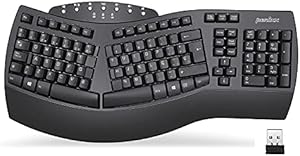
Perixx PERIBOARD-612
Checked: 05/24/2026
True split keyboard with separate halves. Best if you want more shoulder-width freedom and are willing to adapt.
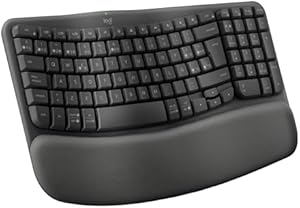
Logitech Wave Keys
Checked: 05/24/2026
Gentler ergonomic shape with almost no learning curve. Good first step if a full split layout feels too much.

Cherry KC 4500 ERGO
Checked: 05/24/2026
Wired ergonomic keyboard with a split centre and wrist rest. Simple, reliable and battery-free.
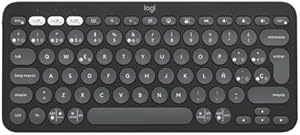
Logitech Pebble Keys 2 K380s
Checked: 05/24/2026
Not truly ergonomic, but compact. Useful if your main goal is bringing the mouse closer and reducing shoulder reach.
Detailed analysis
Logitech Ergo K860: best overall
The Logitech Ergo K860 is the easiest ergonomic keyboard to recommend for full-time remote work. It has a curved split layout, integrated wrist rest, quiet keys and reliable wireless connection. It changes wrist position meaningfully without the learning curve of two separate halves.
The built-in wrist rest is comfortable, but the real value is the layout. It lets the hands sit at a more natural angle and keeps typing familiar enough that most people adapt quickly.
Best for:
- Writers, developers and heavy typists.
- People who want real ergonomic correction without a true split.
- Multi-device setups.
- Quiet home offices and shared rooms.
Possible downsides:
- It is large.
- It includes a number pad, so the mouse still sits farther away than with compact keyboards.
- The shape takes a few days to feel natural.
Perixx PERIBOARD-612: true split on a budget
The Perixx PERIBOARD-612 is for people who want a stronger ergonomic change. Because the halves are separate, you can place them at shoulder width and angle them independently.
That freedom is the main benefit. It also means more responsibility. You need to spend time finding the right position, and the desk needs enough space.
Best for:
- People with shoulder tension from narrow typing.
- Users who want a real split keyboard.
- Workstations with enough desk depth and width.
- Typists willing to adapt.
Skip it if you want a keyboard that feels normal in the first hour.
Check Perixx PERIBOARD-612 on Amazon (opens in a new tab)Logitech Wave Keys: easiest adaptation
The Logitech Wave Keys is the gentle option. It does not correct posture as strongly as a split keyboard, but it is easy to start using and feels familiar almost immediately.
This is the model I would consider for someone who wants a safer first step: less wrist awkwardness than a flat keyboard, lower adaptation cost and a compact enough feel for normal desks.
Best for:
- First ergonomic keyboard.
- People who dislike radical layouts.
- Shared workstations.
- Users who want comfort without retraining.
Cherry KC 4500 ERGO: wired and simple
The Cherry KC 4500 ERGO is a practical wired option. It gives you an ergonomic shape without batteries, Bluetooth pairing or multi-device features.
It is not as refined as the Logitech, but simplicity is a strength if the keyboard stays on one desk and reliability matters more than wireless convenience.
Best for:
- Fixed desks.
- Users who prefer wired peripherals.
- Offices where wireless pairing is annoying.
- People who want ergonomic shape without premium pricing.
Logitech Pebble Keys 2 K380s: compact workaround
The Pebble Keys 2 is not truly ergonomic in the split-keyboard sense. Its value is compactness. By removing the number pad and reducing width, it lets the mouse sit closer to your body.
That can matter if shoulder reach is the main problem. It is also useful for small desks, laptop stands and portable setups.
Choose it if:
- You want a compact external keyboard.
- You use a laptop stand.
- Mouse distance is the main issue.
- You do not need a full ergonomic layout.
My buying advice
If you type all day, choose the Ergo K860 or a true split. If you are nervous about adaptation, start with the Wave Keys. If your desk is small, a compact keyboard can still help by reducing how far your mouse sits from your body.
Do not raise the rear feet of the keyboard. It looks normal, but it increases wrist extension. A flatter or slightly negative angle is usually kinder to your hands.
What nobody tells you before buying one
The adaptation period is real
Your typing may slow down for a few days. That does not mean the keyboard is wrong. Give it a fair week before judging. True split keyboards may need longer.
Do not lift the rear feet
Rear feet make the keyboard look more visible, but they often increase wrist extension. Keep the keyboard flat or slightly negative if your setup allows it.
Measure the desk
Some ergonomic keyboards are large. The Ergo K860, for example, needs more width than compact keyboards. Make sure the keyboard does not push the mouse too far away.
Switch type matters less than layout
Mechanical switches can feel great, but they do not automatically make a keyboard ergonomic. For wrist and shoulder comfort, layout and position matter more than switch marketing.
Which one I would buy
For most remote workers who type all day, I would choose the Logitech Ergo K860. If you want the strongest ergonomic correction and are willing to adapt, choose the Perixx true split. If you want the safest first step, choose Wave Keys. If the real issue is mouse distance on a small desk, a compact keyboard like Pebble Keys can be enough.
How to position an ergonomic keyboard
Buying the keyboard is only half the work. Position matters.
Use this setup:
- Put the keyboard directly in front of your torso.
- Keep elbows close to the body.
- Keep shoulders relaxed.
- Keep wrists floating or lightly supported, not bent upward.
- Keep the mouse close to the keyboard.
- Avoid raising the rear feet.
If the keyboard has a wrist rest, use it for resting between typing bursts, not as a place to press down heavily while typing.
Split keyboard adaptation plan
The first days can feel strange. Use a gradual plan.
Day 1-2
Use the keyboard for email, browsing and light writing. Do not judge typing speed yet.
Day 3-5
Use it for normal work, but keep shortcuts and special characters in mind. The layout may feel awkward only in edge cases.
Week 2
Fine-tune angle, distance and mouse placement. This is when the benefits become clearer.
If you still hate it after two weeks, the layout may not suit you. That is why gentler keyboards like Wave Keys are useful for cautious buyers.
Keyboard and mouse should be chosen together
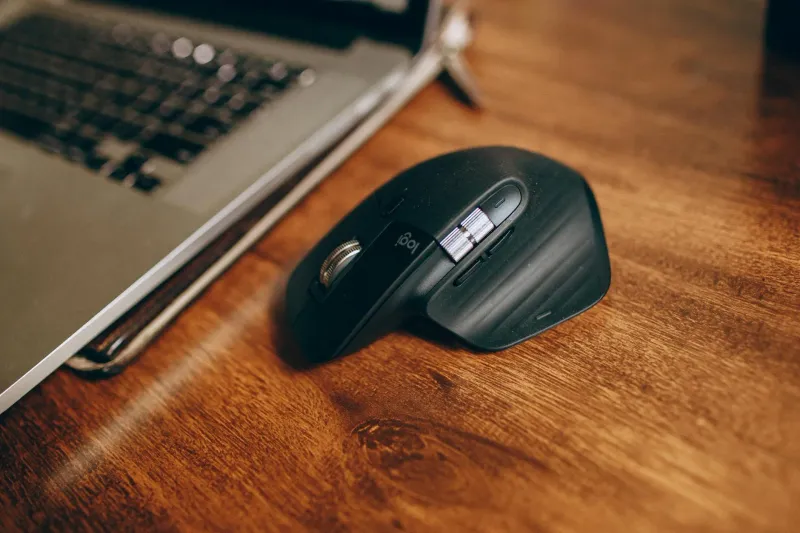
An ergonomic keyboard can reduce wrist angle, but the mouse can still create shoulder strain. A full-size keyboard with number pad pushes the mouse rightward. A compact keyboard or split layout can bring it closer.
If your right shoulder or neck hurts, measure mouse distance. Sometimes the fix is not a vertical mouse or a new chair. It is simply reducing keyboard width.
Pair this guide with best vertical ergonomic mice if mouse grip or wrist rotation is also an issue.
Who should not choose a true split keyboard
A true split is powerful, but not for everyone.
Skip it if:
- You share the keyboard with several people.
- You need to switch desks frequently.
- You have no patience for adaptation.
- Your desk is too small to position both halves well.
- You rely heavily on shortcuts that become awkward on the model.
Choose a curved one-piece keyboard instead. It gives a meaningful improvement with less friction.
Laptop users: start here
If you work from a laptop, any external keyboard is already an ergonomic improvement when paired with a laptop stand. The laptop screen can rise to eye level, and the keyboard can stay at elbow height.
Minimum setup:
- Laptop stand.
- External keyboard.
- External mouse.
- Screen at eye level.
- Keyboard close to the body.
In that context, a compact keyboard may be better than a large ergonomic one if desk space is limited.
Final checklist
- Layout reduces wrist angle.
- Keyboard does not push mouse too far away.
- Desk has enough width.
- You can keep shoulders relaxed.
- Rear feet stay down.
- You have allowed an adaptation week.
- Persistent wrist symptoms are not ignored.
The best ergonomic keyboard is not the strangest one. It is the one you will actually keep using in a neutral position every day.
Wrist rest: helpful or harmful?
A wrist rest can help during pauses, but it should not become a place where you press your wrists down while typing. Heavy pressure on the wrist area can create its own irritation.
Use the rest for:
- Short pauses.
- Keeping hands relaxed between typing bursts.
- Reducing the feeling of hovering when reading.
Avoid:
- Planting wrists while reaching for keys.
- Using a thick rest that bends wrists upward.
- Treating padding as a fix for poor keyboard angle.
The best position is usually relaxed forearms, neutral wrists and light movement from the hands.
Full-size vs compact ergonomic keyboards
Full-size ergonomic keyboards are comfortable for typing but can keep the mouse farther away. Compact keyboards reduce mouse reach but may remove keys you use often.
Choose full-size if:
- You use the number pad daily.
- You work heavily in spreadsheets.
- You prefer a fixed desktop setup.
- You have enough desk width.
Choose compact if:
- Mouse distance causes shoulder tension.
- Your desk is small.
- You mostly type text and use shortcuts.
- You use a laptop stand and need portability.
There is no universal winner. The best layout depends on whether your biggest problem is wrist angle, shoulder width or mouse reach.
Mechanical ergonomic keyboards
Mechanical keyboards can be excellent, but the switch does not make the keyboard ergonomic by itself. A mechanical keyboard with a standard flat layout may still create wrist deviation and mouse reach.
If you want mechanical switches, still check:
- Split or angled layout.
- Keyboard height.
- Palm rest compatibility.
- Mouse distance.
- Noise in shared rooms.
For home offices with calls, loud switches can be annoying. Quiet typing may matter more than feel.
Cleaning and maintenance
Ergonomic keyboards often have curves, rests and gaps that collect dust. Keep them clean so the wrist rest and keys do not become uncomfortable.
Once a month:
- Disconnect or turn off the keyboard.
- Shake out debris gently.
- Wipe the wrist rest.
- Clean key surfaces.
- Check batteries or charging.
- Reconfirm angle and desk position.
A keyboard that starts sliding, tilting or collecting grime becomes harder to use well.
Mistakes I see often
Buying a true split as a first experiment. It can work, but many people would adapt better through a gentler layout first.
Ignoring desk width. A large ergonomic keyboard can push the mouse away and create a new problem.
Using laptop keyboard with raised laptop. If the laptop is raised, the built-in keyboard is too high. Add an external keyboard.
Expecting pain to disappear instantly. If discomfort is already present, you may need changes to desk, mouse, breaks and professional assessment.
Keeping the keyboard too far forward. Even an ergonomic keyboard fails if it makes you reach.
Recommendation by scenario
- Heavy typing, easiest strong recommendation: Logitech Ergo K860.
- Strongest positional freedom: Perixx PERIBOARD-612.
- Lowest adaptation: Logitech Wave Keys.
- Simple wired desk: Cherry KC 4500 ERGO.
- Small desk or laptop stand: Logitech Pebble Keys 2.
The keyboard is one part of the hand setup. Pair it with a mouse that does not force wrist rotation or shoulder reach, and keep both close enough that your elbows stay near your body.
Questions before choosing a keyboard
Do you need a number pad?
If you work in spreadsheets or finance tools all day, maybe yes. If not, losing the number pad can bring the mouse closer and reduce shoulder reach.
Do you switch between devices?
If you use a work laptop, personal computer and tablet, multi-device pairing matters. Logitech models are strong here. A wired keyboard is simpler if it never leaves one desk.
Do you need portability?
Most ergonomic keyboards are not portable. If you move between rooms or coworking spaces, a compact external keyboard may be more realistic than a large split model.
Do you type in several languages?
Check layout carefully. Key placement, Enter shape and special characters matter if you type accents, symbols or code. Do not assume every imported layout will feel natural.
Do you share the desk?
If someone else uses the same keyboard, a radical split layout can become a friction point. A wave keyboard is easier for shared setups.
Ergonomic keyboard myths
It will make you faster. Usually not. The goal is comfort and neutral posture, not speed.
It fixes all wrist pain. It can help, but pain can also come from mouse use, desk height, chair height or medical issues.
More split is always better. Stronger correction can be better for some people and too disruptive for others.
A wrist rest means ergonomic. A wrist rest without better layout may only add padding to the same poor angle.
Mechanical means ergonomic. Switch feel is separate from posture.
How to know it is working
After two weeks, you should notice:
- Less wrist twisting.
- Less shoulder reach to the mouse.
- Easier typing posture.
- Fewer late-day hand fatigue signals.
- No need to constantly reposition hands.
You may not think about the keyboard at all. That is a good sign. Ergonomics often works by becoming unnoticeable.
If symptoms continue
If wrist pain, numbness, tingling or weakness continues, do not keep buying keyboards. Check the full setup:
- Desk height.
- Chair height.
- Mouse shape and distance.
- Break frequency.
- Workload intensity.
- Medical assessment if symptoms persist.
The keyboard can reduce one load. It cannot diagnose or treat every hand problem.
Final verdict
For most full-time remote workers, the Logitech Ergo K860 is the most balanced ergonomic keyboard. The Perixx is better if you want real split freedom. Wave Keys is the safest transition. Cherry is the simple wired option. Pebble Keys is the compact workaround when desk width and mouse reach matter most.
Shortcuts, coding and special keys
If you code, write in Markdown, use design tools or live in spreadsheets, check the key layout carefully. Ergonomic keyboards sometimes move navigation keys, function keys or symbols. That can matter more than typing letters.
Before committing, test:
- Copy, paste, undo and redo.
- Screenshot shortcuts.
- Function keys.
- Brackets, slashes and symbols.
- Language-specific characters.
- Window switching.
- Spreadsheet navigation.
The best ergonomic keyboard is still a work tool. If it makes your daily shortcuts painful, you may stop using it.
Pairing with a vertical mouse
An ergonomic keyboard and vertical mouse can work well together, but do not change everything at once if you are already in pain. Change one variable, test for a week, then adjust the next.
If wrist rotation is the main issue, the mouse may matter more. If wrist angle while typing is the issue, the keyboard matters more. If shoulder reach is the issue, keyboard width and mouse position matter together.
Sound and shared rooms
Keyboard noise matters in a home office. Loud keys can leak into calls, annoy people nearby or make late-night work unpleasant. If the workspace is shared, quiet membrane or low-profile keys may be more practical than a mechanical board.
This is one reason the Ergo K860 and Wave Keys are easy to recommend: they are comfortable without becoming the loudest object in the room.
Final buying rule
Choose the smallest ergonomic change that solves the real problem. If a wave keyboard is enough, do not force a true split. If mouse reach is the issue, compact may beat curved. If wrist deviation is severe, a proper split may be worth the adaptation.
What I would test before returning one
Before deciding an ergonomic keyboard is wrong, test basic positioning:
- Move it closer to the desk edge.
- Lower the rear feet.
- Bring the mouse closer.
- Relax shoulders and elbows.
- Try a slightly wider hand position if split.
- Use it for several normal work blocks.
Many first impressions come from old habits. If you keep reaching as if the keyboard were flat and narrow, the new layout feels strange. Give your hands a chance to learn the new position.
When the compact option is underrated
Compact keyboards do not look as ergonomic as split keyboards, but they can solve a real problem: mouse distance. If a full-size keyboard pushes the mouse too far right, your shoulder works harder all day.
For people with shoulder or neck tension, a compact keyboard plus a good mouse can outperform a dramatic ergonomic keyboard that leaves the mouse in a poor position.
Final setup pairing
The keyboard should be evaluated with:
- Chair height.
- Desk height.
- Mouse shape.
- Mouse distance.
- Monitor position.
- Break routine.
Typing comfort comes from the whole upper-body setup. The keyboard is important because you touch it constantly, but it works best when the desk lets your arms stay relaxed.