A quiet office fan has a specific job: keep you comfortable without making every video call sound like you are working beside a kitchen extractor. For home working, low-speed noise matters more than maximum power.
I look for smooth sound, enough speed settings, a remote or easy control panel, and a format that fits a small room. A fan that is technically powerful but annoying after twenty minutes is not a good work fan.

Philips Series 2000 CX2550/00
A balanced quiet fan for home working: flexible 2-in-1 format, low-noise mode, oscillation and timer.
Checked: 05/24/2026
What a quiet office fan needs
The best fan for work is not necessarily the strongest fan. It is the fan you can leave on during writing, calls and focus sessions without becoming aware of it every five minutes.
Look for:
- Low noise on the first two speed levels.
- Smooth sound rather than rattling or buzzing.
- Enough airflow at low speed.
- Oscillation so air does not hit your face constantly.
- Remote or easy controls.
- Timer for afternoon use.
- A format that does not block movement in the room.
For video calls, microphone pickup matters as much as decibels. A fan placed directly behind the microphone can sound worse than a louder fan placed to the side.
My selection criteria
I prioritise practical remote-work comfort:
- Noise quality at low and medium speeds.
- Airflow that reaches the body without blasting the microphone.
- Controls that are easy to use during work.
- Size that fits a small room.
- Value for a home office, not a large living room.
Maximum speed is less important. If you need maximum speed all afternoon, the room strategy may be wrong: direct sun, closed windows, too much heat from screens or poor ventilation.
Best quiet fans compared
Philips Series 2000 CX2550/00
Checked: 05/24/2026
Best balanced choice for a small or medium home office: quiet mode, 2-in-1 pedestal/desk format, oscillation and timer.

Dreo PolyFan
Checked: 05/24/2026
More powerful air circulation with DC motor, multiple speeds and wide oscillation. Best for bigger rooms.

LEVOIT Tower Fan
Checked: 05/24/2026
Tower format with DC motor, many speed levels and low power use. Good if silence and floor footprint matter.

Dreo Tower Fan
Checked: 05/24/2026
Compact tower fan with remote, sleep mode and useful airflow for medium rooms.

Cecotec EnergySilence 890 Skyline
Checked: 05/24/2026
Budget tower fan with remote and timer. Not the quietest, but a practical low-cost choice.

Honeywell TurboForce HT900E4
Checked: 05/24/2026
Compact personal fan for desk or wall use. Useful when you have no floor space and want direct airflow.
Detailed analysis
Philips Series 2000 CX2550/00: best balanced choice
The Philips Series 2000 is the most balanced pick because it fits the way many people actually work from home. It can function as a pedestal or desk-style fan, has a quiet mode, oscillation and timer, and does not force you into a huge tower format.
The flexible format is useful in small rooms. You can move it depending on the season, desk position and call setup. For remote work, that flexibility matters more than raw power.
Best for:
- Small and medium home offices.
- People who want one fan for work and general room use.
- Video-call-heavy workdays.
- Users who want quiet low-speed comfort.
Dreo PolyFan: most powerful and versatile
The Dreo PolyFan is the stronger air-circulation option. It makes sense if the room is larger, heat builds up quickly, or you want wider oscillation and more control.
This is not the smallest or simplest choice, but it is useful when a tiny desk fan is not enough. A fan that circulates the whole room can feel better than a direct blast of air at your face.
Best for:
- Larger rooms.
- People who need more airflow.
- Setups where direct desk fans are annoying.
- Users who want broader oscillation.
LEVOIT Tower Fan: best if silence and footprint matter
The LEVOIT tower fan is a good choice if floor footprint and low noise are priorities. Tower fans fit beside a desk, shelf or wall without taking desktop space.
The advantage is that air moves around the body rather than from a small point on the desk. That is usually more comfortable for long sessions.
Best for:
- Small rooms with no desk space.
- People who dislike visible desk fans.
- Calls where the fan can sit off to the side.
- Users who want low-speed background airflow.
Dreo Tower Fan: compact tower alternative
The Dreo tower fan is a compact alternative for medium rooms. It is useful if you want tower-fan convenience, remote control and sleep mode without moving to a large pedestal fan.
It suits a home office where the fan needs to sit near the desk but not on it. Use oscillation and side placement to keep airflow from hitting the microphone directly.
Cecotec EnergySilence 890 Skyline: budget tower with remote
The Cecotec is the budget tower option. It is not the quietest or most refined fan in the list, but it gives you a tower format, remote and timer at a lower cost.
It makes sense if you want basic airflow in a hot room and do not need premium sound quality. I would use it on lower speeds during calls and reserve higher settings for breaks.
Best for:
- Budget buyers.
- Rooms where tower format matters.
- People who want remote and timer without paying more.
Honeywell TurboForce HT900E4: compact desk or wall fan
The Honeywell is the compact personal option. It is useful when there is no floor space and you want direct airflow. It can also work mounted on a wall if the room layout allows it.
The trade-off is microphone pickup and directness. Small fans close to the desk can be more audible on calls than larger fans placed farther away.
Best for:
- Very small rooms.
- Personal airflow.
- Desk or wall placement.
- Users who do not need full-room circulation.
Placement matters
Do not point the fan straight at your microphone. Place it to the side, use oscillation and keep it on a low or medium setting during calls. If the room is hot, ventilate early, close blinds before direct sun hits and reduce heat sources where possible.
For the full heat strategy, read working from home in hot weather.
Tower, pedestal or desk fan?
Tower fan
Best when you want to save desk space and move air around the body. Good for small offices and shared rooms because it looks cleaner and can sit beside furniture.
Pedestal fan
Best when you need adjustable height and stronger airflow. It takes more visual space but can cool the body more effectively from a distance.
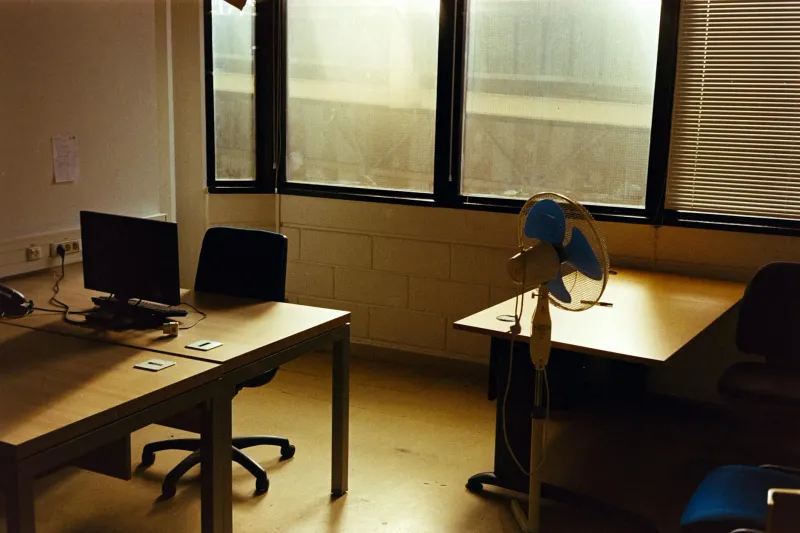
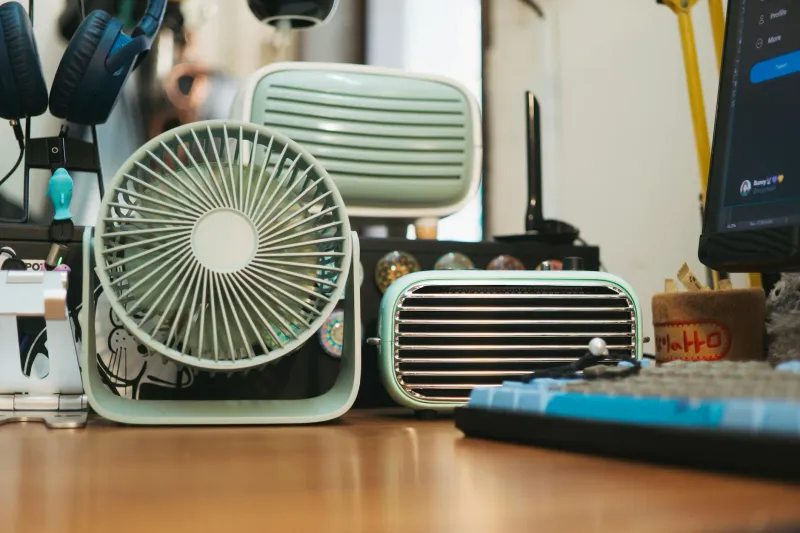
Desk fan
Best when you have no floor space and want direct airflow. It can be annoying during calls if placed too close to the microphone.
How to use a fan without ruining calls
- Put it to the side of the desk, not behind the microphone.
- Use oscillation.
- Lower speed during calls.
- Use a headset mic if the room is noisy.
- Avoid airflow directly across the laptop microphone.
- Test with a call recording before important meetings.
Most fans are manageable if placement is right. The worst setup is a small fan pointed straight at your face and microphone.
Reduce heat before relying on the fan
A fan does not lower room temperature. It moves air and helps you feel cooler. That means it works best when you also reduce heat sources.
Do this first:
- Ventilate early in the morning.
- Close blinds before direct sun hits.
- Move the desk out of direct sunlight if possible.
- Turn off unused screens or chargers.
- Use lighter clothing for work.
- Keep water nearby.
The fan then has less work to do, so you can keep it quieter.
Which one I would buy
For most home offices, I would start with the Philips Series 2000 because it balances quietness, flexibility and practical controls. If you need more room circulation, choose the Dreo PolyFan. If floor footprint and visual cleanliness matter most, choose the LEVOIT tower. If budget is tight, Cecotec is the practical tower option.
The best fan is the one you can leave on while working. If you notice it constantly, it is not quiet enough for your desk, even if the product page says it is silent.
Fan placement by room type
Small bedroom office
Use a tower or compact pedestal fan placed to the side of the desk. Avoid a desk fan pointed straight at your face, because it can dry eyes and hit the microphone.
Living-room corner
Choose a cleaner-looking tower fan if the room is shared. Place it where it moves air through the work corner without dominating the living space.
Dedicated small office
A pedestal or 2-in-1 fan works well because you can move it between desk, door and window depending on heat. Use early ventilation and then low-speed circulation.
Desk with many calls
Place the fan lower and to the side. Use oscillation and a headset mic. Test sound before important calls.
Noise quality matters more than the number
Two fans can have the same stated noise level and feel completely different. A smooth whoosh fades into the background. A rattling, pulsing or high-pitched motor becomes distracting even if the measured decibels are low.
When you receive a fan, test:
- Low speed while typing.
- Medium speed during a call recording.
- Oscillation noise.
- Remote or button beeps.
- Vibration on the floor or desk.
If low speed is annoying, the fan is not a good office fan. You will not use it consistently.
Fan and eye comfort
Do not point airflow directly at your eyes for hours. Moving air can increase dryness, especially if you already deal with screen eye strain.
Better:
- Aim airflow at torso or side of body.
- Use oscillation.
- Keep water nearby.
- Take visual breaks.
- Avoid combining direct fan airflow with very dry room conditions.
If eyes burn late in the day, read screen eye strain.
What a fan cannot fix
A fan is not air conditioning. It will not lower room temperature by itself. If the room is getting heat from direct sun, closed windows, multiple screens and poor airflow, the fan only makes that heat more tolerable.
Fix the room first:
- Block sun early.
- Ventilate before the hottest hours.
- Reduce unnecessary electronics.
- Move heat-producing devices away from your legs.
- Use lighter curtains or blinds depending on the room.
Then choose the quietest fan that gives enough airflow.
Final checklist
- Low speed is genuinely quiet.
- Sound is smooth, not rattly.
- Fan can sit away from the microphone.
- Oscillation is available.
- Controls are easy during work.
- Size fits the room.
- Airflow does not dry eyes.
- Heat strategy includes blinds and ventilation.
The best quiet fan is not the most powerful one. It is the one that keeps you comfortable while disappearing into the background of the workday.
Desk fan vs air circulator
A desk fan gives direct relief. An air circulator improves room movement. They feel different.
Choose a desk fan if:
- You need personal airflow.
- You have no floor space.
- The room is not extremely hot.
- Calls are not constant.
Choose an air circulator or pedestal fan if:
- The whole room feels stagnant.
- Heat builds behind the desk.
- You want airflow without pointing it at your face.
- You can place the fan away from the microphone.
For remote work, indirect airflow is often more comfortable than a small fan blasting directly from the desk.
How to combine fan and air conditioning
If you use air conditioning, a fan can let you run it less aggressively. The fan moves cooler air around the room and reduces hot spots near the desk.
Use the fan on low or medium, aimed across the room rather than directly at your face. This can make the workspace feel more even and reduce the need for noisy high fan speeds.
Maintenance
Dust makes fans louder and less pleasant.
Every few weeks in summer:
- Unplug the fan.
- Clean grills.
- Wipe blades if accessible.
- Check the base is stable.
- Listen for new rattles.
- Keep cables away from chair wheels.
A dusty fan can sound harsher and move less air, which makes you raise speed and noise.
What to avoid
Avoid fans that:
- Only work well at high speed.
- Have a harsh mechanical buzz.
- Beep loudly with every control change.
- Are too large for the room.
- Must sit directly on the desk near the microphone.
- Have unstable bases.
- Are hard to clean.
The best fan for a home office is usually boring: quiet low speed, predictable airflow, easy controls.
Buying recommendation by scenario
- Best overall: Philips Series 2000.
- Best stronger circulation: Dreo PolyFan.
- Best quiet tower: LEVOIT Tower Fan.
- Best compact tower alternative: Dreo Tower Fan.
- Best budget tower: Cecotec EnergySilence 890.
- Best tiny personal fan: Honeywell TurboForce.
If heat is a recurring problem, do not treat the fan as the whole solution. Pair it with blinds, ventilation and a better room layout. The comfort gain comes from the system, not only the device.
Questions before buying
Do you need personal airflow or room circulation?
Personal airflow is direct and immediate. Room circulation is gentler and often better for long work blocks. Choose based on whether your body is hot or the whole room is stagnant.
How many calls do you take?
If you spend hours on calls, choose a fan that can sit away from the microphone and run quietly on low. Tower and pedestal formats often work better than desk fans for this.
Is the fan easy to control?
Remote controls and timers are not gimmicks during work. They let you adjust comfort without breaking focus.
Will it dry your eyes?
Direct airflow at face level can make screen eye strain worse. Aim air at torso level or use oscillation.
Can you clean it?
Fans collect dust. If cleaning is difficult, noise and airflow get worse over time.
Final verdict
For most home offices, Philips Series 2000 is the safest all-round pick. Choose Dreo PolyFan if the room needs stronger circulation, LEVOIT if tower format and quietness matter most, and Cecotec if budget is the deciding factor.
Use the fan as part of a heat strategy: shade, ventilation, lower electronics heat and smart placement. That is how you stay comfortable without turning calls into noise.
One-week test after buying
During the first week, test the fan in real work conditions:
- Low speed during writing.
- Low or medium speed during a recorded call.
- Oscillation while sitting at the desk.
- Placement near the door, window and side of desk.
- Afternoon use after the room heats up.
If the fan only works on high speed, it may be too small for the room. If it sounds fine alone but bad on calls, placement is the issue.
Final comfort rule
You should feel the effect without thinking about the fan. If you keep noticing motor noise, airflow in your eyes or microphone noise, change position, lower speed or choose a different format.