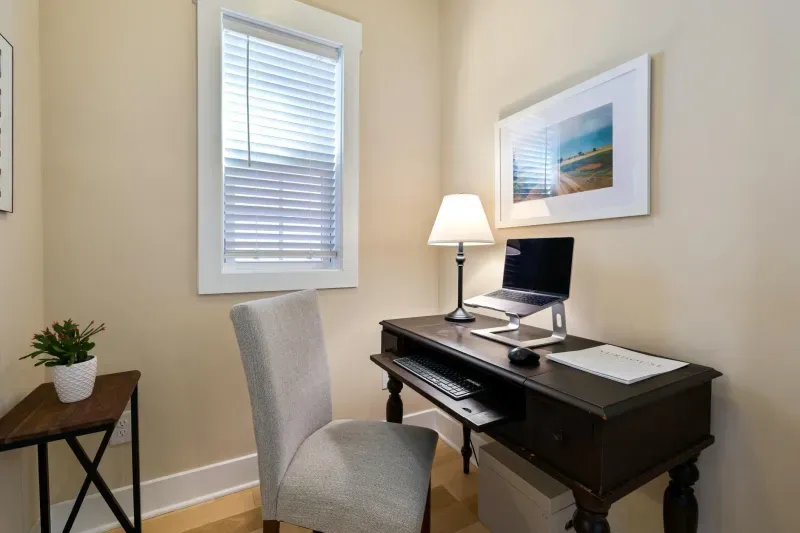
Neck pain from computer work usually starts quietly: stiffness after lunch, tight shoulders, a dull headache at the base of the skull, or the habit of rubbing the back of your neck during calls. In many home offices the cause is obvious once you look at the setup: the screen is too low and the head has moved forward to compensate.
That is why neck pain is so common in laptop-based remote work. A laptop on the desk cannot put the screen and keyboard in the right place at the same time. If the keyboard is low enough for the arms, the screen is too low for the neck. If the screen is raised, the keyboard becomes too high unless you add external peripherals.
The fix is not a special pillow or a random stretch routine. Start with screen height, chair position, arm support and movement habits.
Why the neck suffers at a computer
The head is heavy. When it sits directly above the spine, the neck muscles do a manageable amount of work. When the head moves forward or tilts down, the demand increases quickly.
Laptop work creates exactly that pattern:
- Eyes look down.
- Chin moves forward.
- Shoulders round.
- Upper back stiffens.
- Neck muscles hold the position for hours.
This is often called forward head posture or, in more casual language, tech neck. The name is less important than the mechanism: the neck is doing static work for far too long.
The frustrating part is that the posture can feel normal while it is happening. You do not notice a dramatic bend. You simply move closer to the screen, lift the shoulders slightly, keep the chin forward and stay there. The problem is not one bad movement. It is thousands of minutes of low-level strain.
Why pain often returns after temporary relief
Heat, massage and stretching can reduce symptoms. They do not remove the cause if the workstation keeps asking the neck to repeat the same position.
This is the usual cycle:
- Neck gets stiff after several workdays.
- You stretch or apply heat.
- Symptoms improve for a few hours.
- The next workday repeats the same screen angle.
- Pain returns.
That does not mean stretches are useless. It means the order matters. First reduce the mechanical stress: screen height, chair, keyboard, mouse and breaks. Then use exercises as maintenance.
Symptoms people miss
Neck pain is not always a sharp pain in the neck. It can show up in other ways.
Morning stiffness
If you wake up with a neck that feels blocked and it improves slowly, accumulated tension may be part of the pattern. A one-off awkward sleep position usually improves in a few days. Work-related stiffness tends to return with the workweek.
Tension headaches
A dull headache that starts near the base of the skull and appears late in the day can be related to neck tension. Many people treat it as a generic headache without checking their monitor height or shoulder position.
Shoulder and trap tightness
If armrests are too high, the shoulders stay lifted. If the keyboard is too far away, the shoulders reach forward. Both patterns can feel like neck pain by the end of the day.
Tingling or numbness
Tingling, numbness or weakness in the arm or fingers is a warning sign. It can indicate nerve involvement and should not be ignored if it persists.
Jaw and face tension
Some people clench the jaw when concentrating, especially when the screen is hard to read or the neck is already tense. Jaw tightness is not always caused by the workstation, but it can appear alongside forward head posture and shoulder tension.
One-sided pain
One-sided neck pain often comes from asymmetry: mouse too far right, main monitor off-centre, laptop used as a side screen, or leaning on one arm. If symptoms are always on the same side, check whether your setup is forcing a subtle rotation.
Screen height is the first fix
You can have a great chair, a good desk and a clean setup. If the screen is too low, your neck will still work too hard.
Aim for:
- Top area of the screen near eye level.
- Screen roughly an arm’s length away.
- Main monitor centred in front of you.
- Text large enough that you do not lean forward.
- Laptop raised only if you use an external keyboard and mouse.
If your monitor stand is too low, use a monitor arm, riser or stable temporary support. A monitor arm is especially useful because it also frees desk space. See best monitor arms for buying options.
How to test screen height quickly
Sit in your normal working posture and close your eyes for a few seconds. Relax shoulders, jaw and face. Open your eyes. Your gaze should land near the upper third of the screen, not below it.
If your first natural gaze lands above the monitor, the screen may be too low. If it lands at the bottom of the display and you lift your chin to see the top, the screen may be too high.
The goal is neutral, not rigid. You should be able to read the screen without poking your chin forward.
Laptop-only work is the classic problem
A laptop directly on the desk forces a compromise. The screen is low, the keyboard is attached, and the body adapts around it.
The minimum fix:
- Laptop stand.
- External keyboard.
- External mouse.
- Screen at eye level.
- Keyboard close to the body.
This is often cheaper and more effective than changing chairs immediately. It also helps reduce screen eye strain because text becomes easier to read at a better distance.
Chair and arm position
Neck pain often starts below the neck.
Check:
- Feet flat or supported.
- Hips stable against the backrest.
- Lumbar support in the lower-back curve.
- Shoulders relaxed.
- Elbows close to the body.
- Mouse close enough that the shoulder does not reach forward.
Armrests should support relaxed elbows, not lift the shoulders. If the armrests hit the desk and keep you too far away, lower them or adjust your position. Bad armrest height often appears as neck and trap tension, not armrest discomfort.
Use how to adjust an office chair properly if you want the full sequence.
Mouse and keyboard distance
The mouse is a frequent hidden cause of neck and shoulder pain. If it sits too far forward or too far to the side, the shoulder reaches all day. That reaching position loads the upper trapezius and can feel like neck pain.
Fixes:
- Keep mouse beside the keyboard, not ahead of it.
- Use a compact keyboard if the number pad pushes the mouse too far away.
- Keep elbows close to the body.
- Avoid resting the wrist while reaching from the shoulder.
- Increase pointer speed slightly if large mouse movements make you reach.
Keyboard distance matters too. If the keyboard is far away, the whole upper body leans forward. Bring it close enough that the elbows stay under the shoulders.
Desk height can create neck tension
A desk that is too high forces shoulders up. A desk that is too low can make you collapse forward. Many standard desks are not ideal for every body size, especially when paired with a chair that cannot adjust enough.
If the desk is too high:
- Raise the chair.
- Use a footrest if feet no longer reach the floor.
- Lower armrests.
- Keep keyboard and mouse close.
If the desk is too low:
- Avoid hunching.
- Raise the monitor independently.
- Consider whether the desk is worth replacing if symptoms persist.
The correct desk and chair height guide explains the full setup.
Dual-monitor neck pain
Two screens can create a hidden neck problem. If the main monitor sits to the side, you rotate your neck for hours.
Rules:
- Centre the screen you use most.
- Put the secondary screen slightly angled to one side.
- If use is truly 50/50, place the seam between monitors in front of you and angle both slightly inward.
- Avoid using a laptop screen far below an external monitor as a constant second display.
If you keep documents on one side all day, move them often or change the monitor layout. Small rotations become big loads when repeated for months.
Neck pain and eye strain are connected
When text is small or the screen is too far away, you move your head toward it. That forward head posture increases neck load. When lighting is poor, you may squint and lean in. When glare hits the screen, you twist or tilt the head to see better.
This is why neck pain fixes often involve visual ergonomics:
- Increase text scaling.
- Reduce glare.
- Improve desk lighting.
- Move the screen closer if it is too far away.
- Use a sharper external monitor if laptop text is cramped.
If eye fatigue appears with neck pain, read screen eye strain and how to improve workspace lighting.
Short exercises that fit between meetings
Exercises help, but only after the setup is corrected. Stretching a neck that returns to a low laptop all day is temporary relief.
Use simple movements:
Chin tucks
Pull the chin straight back as if making a double chin. Do not tilt the head. Hold for a few seconds and repeat 8 to 10 times. This helps counter forward head posture.
Slow rotations
Turn the head gently to one side, pause, return to centre, then repeat on the other side. No bouncing.
Side stretch
Bring one ear gently toward the shoulder and hold. Keep the opposite shoulder down.
Shoulder rolls
Roll shoulders up, back and down. This resets the shoulder position after typing.
Doorway chest stretch
Place forearms on a doorway and step forward gently. Opening the chest can reduce the rounded posture that feeds neck tension.
For a broader routine, use desk stretches for office chair work.
A realistic daily reset routine
Use this between meetings or after a long focus block:
- Stand up.
- Look at a distant object for 20 seconds.
- Do 8 chin tucks.
- Roll shoulders backward 10 times.
- Stretch each side of the neck for 15 seconds.
- Walk for one minute.
This takes less than three minutes. The value is frequency. One perfect 30-minute mobility session at the end of the week will not offset five days of locked posture as well as several tiny resets per day.
Heat, massage and painkillers
Heat can help if the neck feels stiff and muscular. A warm pack for 10 to 15 minutes may reduce guarding and make movement easier.
Massage can also provide temporary relief, especially for upper traps and suboccipital muscles. But if symptoms return every workday, treat massage as relief, not a fix.
Painkillers can mask the signal. There are times when they are appropriate, but do not use them as a way to tolerate an obviously bad setup. If you keep needing medication to finish normal workdays, that is a reason to get assessed.
When to stop self-managing
Setup changes and movement help mechanical neck pain. Some symptoms need professional attention.
Get advice if you have:
- Numbness or tingling that persists.
- Pain radiating from neck into arm or hand.
- Loss of grip strength.
- Dizziness or vertigo with neck movement.
- Neck pain that does not improve after two to three weeks of setup changes.
- Severe stiffness that limits normal movement.
Do not treat persistent nerve symptoms as normal remote-work discomfort.
A practical order of fixes
If neck pain is already present, work in this order:
- Raise the screen.
- Add external keyboard and mouse if using a laptop.
- Bring mouse and keyboard closer.
- Adjust chair height and lumbar support.
- Set armrests so shoulders stay relaxed.
- Increase text size if you lean forward.
- Add short movement breaks.
- Seek professional help if symptoms persist.
What not to buy first
Delay these until the basics are corrected:
- Cervical pillows for desk posture.
- Random posture braces.
- Expensive massage tools.
- New chair before checking screen height.
- Pain-relief gadgets that do not change the workstation.
Some of those products can help specific situations, but they should not distract from the biggest cause: a screen, keyboard or mouse position that repeats the same neck stress every day.
A one-week neck pain audit
If you are not sure what triggers the pain, audit one normal workweek.
Track:
- Time pain begins.
- Which task you were doing.
- Whether you were using laptop, monitor or both.
- Whether the main screen was centred.
- Mouse position.
- Number and length of calls.
- Breaks taken.
- Whether symptoms improve after walking.
You may discover that pain appears after two-hour focus blocks, after long video calls, or only on days when you work from the laptop screen. That pattern tells you where to act first.
Small changes that often work quickly
These are not glamorous, but they can change the day:
- Put the laptop on a stand and use external peripherals.
- Increase text size by one step.
- Move the monitor closer instead of leaning forward.
- Centre the main screen.
- Bring the mouse beside the keyboard.
- Lower armrests that lift your shoulders.
- Take calls standing when they are short.
None of these requires a full workstation rebuild. They remove repeated strain, which is usually what the neck needs most.
Final takeaway
Before buying a cervical pillow, measure your screen height. If the screen sits too low, your neck is working against the setup all day.
Most computer-related neck pain improves only when the workstation stops creating the same stress repeatedly. Raise the screen, support the arms, move more often, and treat warning signs seriously.