Choosing an ergonomic chair is not about spending more money; it is about getting four adjustments right that you notice in hour six, not hour one. I am saying this from the inside: I use a Herman Miller Aeron, one of the sector’s reference chairs, and even it has a real drawback (it does not let you adjust the seat depth as standard) that you only spot if you know what to look at. This guide is what I wish I had read before buying it: which adjustments actually matter, in what order to check them, and how not to overpay for things you will never use.
I have worked from home full time since 2019, around 7-8 hours a day sitting, in an office in Rubí (Barcelona). The Aeron is my measuring stick: I know first-hand what a high-end chair does well and what you can accept losing in a cheaper alternative. For the other models I mention I have no direct use: I analyse them by their official specifications and the patterns repeated in verified reviews, and I say so when it matters.
Where to start: your body comes first
Before looking at brands, measure three things. It comes first because it defines which range of chair fits you and rules out half the catalogue without effort:
- Your height and weight. Most standard chairs fit between 1.60 m and 1.85 m. Below 1.60 m you need a seat that drops to 42-44 cm; above 1.85 m, one that rises past 52 cm with a backrest of at least 70 cm. Weight matters mostly for the load capacity and the life of the gas lift.
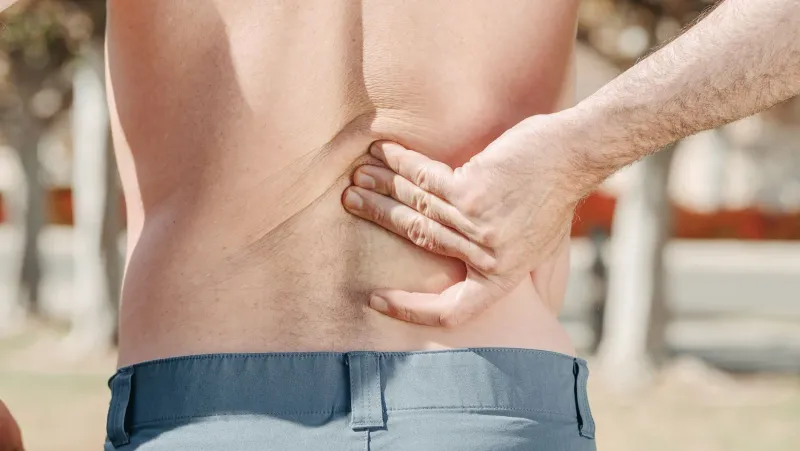
- Your aches. If it is your lower back, prioritise height-adjustable lumbar. If it is your neck, look at the headrest and backrest height. If your legs go numb, check seat depth before anything else.
- Your real budget. Below you have what you get in each price band, but the number is not the starting point: it is the finishing line.
If you buy online and cannot try it, use the chair you have now as a reference: measure its seat height (from the floor to the top edge) and its depth, and note what you dislike about it. That tells you which range to look for and what to prioritise. And check the return policy before you pay: a chair that does not fit shows itself in the first week, not the first day.
The 4 adjustments that decide the purchase (in this order)
This is where a good purchase is decided. Check them in this order:
1. Height-adjustable lumbar support
The adjustment that most separates a real chair from one that only carries the “ergonomic” label. The lumbar is not at the same height on every body; a fixed support usually sits too low or too high. Look for a lumbar that moves up and down (and, if possible, in depth). Chairs with dynamic lumbar, like the SIHOO Doro C300 or the PostureFit SL on the Aeron, adapt on their own without you having to touch levers every time you shift position.
2. Seat depth
The figure almost nobody checks and the one you feel most in your legs. Sit down and make sure you have 2-3 fingers between the edge of the seat and the back of your knee. If the seat is too deep, the edge presses the back of your knees and cuts circulation; if it is too short, your thigh is not supported and your lower back takes the load. Ideally it should be adjustable (sliding seat). It is the real limitation of my Aeron, and one reason many people go for a Steelcase Series 1 or any model with a sliding seat.
3. Seat height
Feet flat on the floor and knees at 90 degrees: that is your height. Make sure the chair’s range covers it (for most people, 42-52 cm). A chair with a thousand adjustments is useless if it does not reach your height. The chair-to-desk relationship is covered in our correct desk and chair height guide.
4. Adjustable armrests
With elbows at 90 degrees, your arms should rest without raising your shoulders. Fixed armrests usually force you to hunch your shoulders, and that is where neck pain comes from. Height adjustment is the minimum; 3D or 4D armrests (height, width, depth and pivot) are a bonus you appreciate on long days.
The extras (headrest, deep recline, aluminium base, long warranty) come after. The headrest matters if you work reclined or carry neck issues; the recline with adjustable tension, if you like leaning back; the aluminium base and the warranty, if you want it to last years and not months.
One nuance that deserves its own paragraph: the recline mechanism. With synchronised recline, the backrest and seat move at different rates and you keep your feet on the floor as you lean back; with free recline the whole assembly tilts and your knees lift. For long days, the synchronised one is what truly makes the difference.
Mesh or padded: the debate decided in August
It is the most important material decision and in Spain it has a date: mesh breathes and is the best option for warm climates and long days. My Aeron is mesh and in summer there is no going back. Padded upholstery is softer when you first sit, but it holds heat and sags over the years.
A practical rule: if you work more than 6 hours a day or in a room that heats up, mesh on the back and seat. If your priority is the immediate feeling of softness, go padded. The downside of mesh is that it feels firm at first (the SIHOO Doro C300 has reviews that agree the first weeks feel hard) and that not every body tolerates it the same. It is not better or worse in the abstract, but what you value more. If you hesitate, prioritise mesh on the back even if the seat is padded: it is the most common mid-range compromise and it works.
What you get and what you give up at each price
- Under €200. Basic adjustments (height and a fixed or barely adjustable lumbar) and modest materials. Fine as a first chair or for short days. If you want one, I have 6 options under €200 reviewed one by one.
- €200-500. The sweet spot: adjustable or dynamic lumbar, seat depth, 3D armrests and quality mesh. The SIHOO Doro C300, the FlexiSpot C7 and, if you accept fewer adjustments, an IKEA MARKUS all sit here.
- Over €500. Premium materials, 10-12 year warranties and fine adjustments. This is Aeron territory, along with the Steelcase Please or the Humanscale Freedom. You pay for durability and fine support, not double the comfort.
The big jump is from under €200 to €200-500. Above €500 you mostly pay for materials, warranty and finish.
If you work from home full time, stretch toward the mid range even if the upfront payment stings; if you will use it an hour or two a day, an entry model does the job and you keep the difference for a good desk or monitor.
One middle path many people forget: refurbished premium chairs. A second-hand Aeron or Steelcase with a refurbisher’s warranty costs half the price of new and keeps the mechanics; the risk is not knowing the real age of the gas lift and the mesh.
The method to get it right
I summarise the above in a checklist you can run in front of the screen or in a shop:
- Measure your height and check the seat range.
- Sit down: can you fit 2-3 fingers between the seat and the back of your knee? Feet flat and knees at 90 degrees?
- Adjust the lumbar to the height of your curve and check you feel it.
- Rest your arms without raising your shoulders.
- Ask about the warranty (2 years is the minimum; 5 or more is a good sign).
Once you have the chair, the order for setting it up properly is explained step by step in how to adjust an office chair. And remember: even the best chair does not replace moving every hour; desk stretches help more than they seem.
The shortcut: let the finder decide for you
If you have read this far and still cannot decide, that is normal: there are dozens of valid models. That is why we built the chair finder: you answer a few questions (budget, what you value, hours of use and your body) and it suggests the three that fit you best, comparing the real specs across the catalogue. And if you prefer to see them with prices and analysis, we have the best ergonomic office chairs comparison and, if you are torn between two worlds, gaming chair vs ergonomic chair.
Choosing an ergonomic chair well comes down to this: the lumbar reaches your curve, the seat respects your legs, your arms do not load your shoulders, and the material holds up to your use. Get that right and you will not regret it.