Most standing desk buying mistakes have nothing to do with posture or habits. They are purchasing mistakes, and they are the expensive kind, because you don’t fix them with a mat or a break. You fix them by returning a 30 kg box you already assembled.
I don’t use a standing desk. My desk is a solid-wood tabletop on fixed IKEA legs, and building it taught me what gets measured wrong and what refuses to fit afterwards. This analysis is based on official pages, our catalogue data and recurring patterns in verified reviews on Amazon.es and forums. When a figure isn’t confirmed, I say so.
If you haven’t chosen a model yet, the standing desk selector suggests three options based on your height, budget and space. If you’re one step earlier, the guide to choosing a standing desk covers the five criteria that actually matter. This article focuses on what to avoid.
Mistake 1: buying without measuring the space
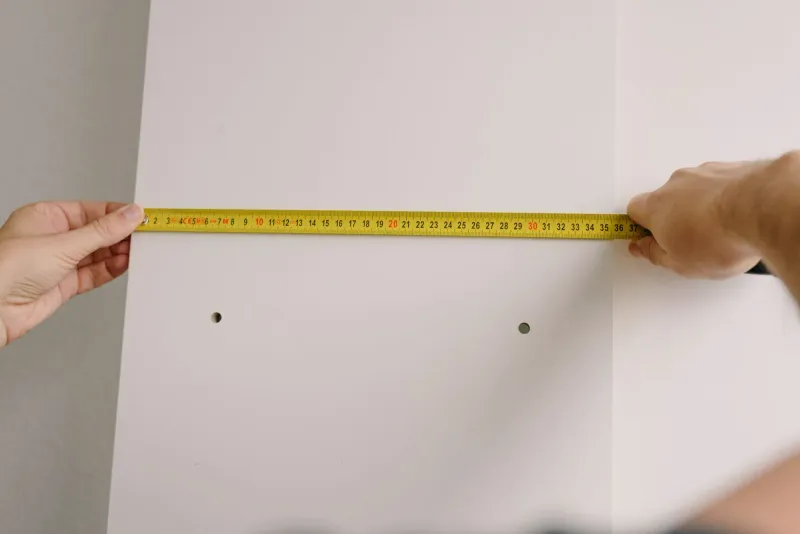
It’s the mistake that repeats most in reviews and forums, and the easiest to prevent. You pick the tabletop by price or photo and, once assembled, it doesn’t fit, blocks the walkway or leaves you 30 cm from the wall with the screen on top of you.
Measure before browsing models:
- Available width, including skirting boards, inward-opening doors and side furniture.
- Available depth, so the top doesn’t hit the wall or steal legroom.
- Real margin: leave at least 15 cm on each side for cables, airflow and moving the chair without hitting anything.
For a monitor and laptop, 120×60 cm is the functional minimum. With an external monitor and laptop side by side, 140×70 cm. For two monitors or paperwork, 160×80 cm. A 140 cm top in a room that fits 120 is a 20 cm mistake you pay for in full. The correct desk and chair height guide helps you fit the desk to both your posture and your room.
Mistake 2: choosing a height range that doesn’t reach your height
A standing desk that doesn’t reach your standing height is a fixed table with a markup. The typical range is 72 to 120 cm, which suits most people. The problem shows up at the edges.
- If you’re under 1.65 m, check the lower limit drops below 68 cm. Many budget models stop at 72 cm and force you to hunch your shoulders while seated.
- If you’re over 1.85 m, look for a top limit above 120 cm. Otherwise you’ll work standing with your arms dropped.
Don’t treat the manufacturer’s average height as a guarantee. Take your two real measurements (elbow at 90 degrees, seated and standing) and check the model covers both. The SONGMICS LSD134, for example, lists 72-120 cm, a generous entry-level range. The FlexiSpot E7 drops to 58 cm and rises to 123 cm, with more headroom for tall users.
Mistake 3: confusing motor load with equipment weight
This is the technical mistake people understand least and the one that costs most over time. The advertised load (70, 80, 100 kg) refers to what the motor can lift, but the tabletop already counts towards that weight.
A normal setup (monitor, laptop, keyboard and accessories) weighs 15 to 25 kg. A solid-wood tabletop can add another 15-20 kg on its own. Add everything before comparing figures:
- The tabletop (especially if you buy just the frame and fit a heavy one).
- Monitors and clamp-style monitor arms, which create leverage.
- Tower, speakers and any peripheral sitting on top.
Entry-level handles 70-80 kg; mid-range, 100 kg. If you run two monitors on arms or an ultrawide, aim for 100 kg minimum. The Duronic TM61 lists 80 kg as a frame without a top: a good reminder that the tabletop is on you and eats into the margin.
Mistake 4: a single motor to save money when you’ll alternate a lot
A single motor is cheaper and fine if you raise and lower the desk occasionally. The problem is that “occasionally” turns into “almost never” when changing height takes 20-30 seconds and makes noise.
- Single motor: slower, wobbles with uneven loads and discourages alternating. It suits light use.
- Dual motor: rises faster, runs quieter and handles uneven weight better. It’s the difference between using the desk daily and leaving it fixed.
Don’t buy a dual motor “just in case” if your real use is one rise a day. And don’t buy single if you know you’ll alternate several times. The DEVAISE 120×60 is a single-motor bargain to start; the jump to dual motor lives in the mid-range.
Mistake 5: ignoring stability at full height
It’s the spec that shows up least in listings and matters most when you use the desk standing. A cheap desk can feel firm low down and shake up top when you type or move the mouse, especially with two monitors.
Stability depends on the whole structure, not just the motor count: three-stage columns, wide feet, a rigid crossbeam and a top that doesn’t flex. The higher you work, the easier it is to notice motion.
If you work tall, use monitor arms or choose a large top, leave load margin and check columns, feet and crossbeam before paying. The FlexiSpot E7 publishes a laser-welded steel frame with vertically mounted motors designed for exactly this; it’s the reference for what you pay when stability matters.
Mistake 6: paying extra for features you won’t use
Memory presets, USB, anti-collision and drawers are convenient, but they push up the budget tier and shouldn’t decide the purchase.
- Memory presets: two (sitting and standing) are enough. Paying for four or a touchscreen only pays off if you share the desk or alternate between three heights.
- Built-in USB: handy for charging a phone, but at standing height the cable sits awkwardly.
- Anti-collision: appreciated with kids or pets around. Otherwise it’s a quiet extra.
- Drawers and shelves: add weight and price to a product whose value is raising and lowering.
Order your priorities: height range, motor, load and stability first; extras after. And before paying, read the warranty and return policy. A standing desk isn’t returned like a cable: it’s a heavy, bulky item, and return shipping may be on you.
How to avoid all of them, in one list
Before buying, make sure you can answer yes to these:
- I measured available width and depth, including skirting, doors and walkway space.
- The height range covers my seated and standing posture, not a rough average.
- I added tabletop, monitors, arms and accessories before comparing load.
- The motor matches my real use: how many times a day I’ll change height.
- I checked columns, feet and crossbeam if I’ll work tall or with two monitors.
- I read the warranty and return policy for a heavy, assembled unit.
- The extras I’m paying for are ones I’ll actually use.
If the answer to any of these is “no”, you can still fix it before hitting buy. The standing desk selector filters by height, budget and space so you don’t have to do it by hand.