Logitech
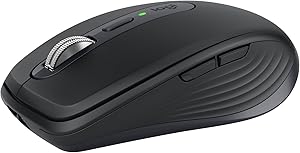
Logitech MX Anywhere 3S
Ideal for: Moving a laptop between workspaces without occupying a port with a receiver
Check your computer's Bluetooth and whether a 100.5 x 65 x 34.4 mm body suits your grip. For frequent work with wide tables, decide whether you prefer a thumb wheel or can hold a side button while turning the main wheel.
Before buying, check the exact model, price and availability on Amazon Spain; we have not verified the current offer.
View on Amazonfor Logitech MX Anywhere 3S (opens in a new tab)Buying summary
Best useMoving between workspaces with a laptop and up to three devices, while keeping fast scrolling and application profiles on Windows or macOS.
Avoid ifYou want a large body for palm support, a dedicated thumb wheel or an included receiver for a computer without Bluetooth.
Direct alternativeThe M650 covers simpler tasks without the MX shortcut focus. The MX Master 4 has a thumb wheel and larger body; the Lift changes to a vertical shape, which does not guarantee comfort or relief from discomfort.
Verified limitationsThe Logi Bolt receiver is not included and must be bought separately if needed. The standard box contains the mouse and a USB-A to USB-C charging cable. Check that your computer supports Bluetooth or has a suitable receiver. · The Amazon link identifies the standard model but does not establish a price or stock when you buy. Check the variant, seller, price and stock. The price tier is indicative, not a fixed amount. The dated US quote is from Logitech for standard graphite 910-006925 without a receiver, not a verified Amazon US offer. The OneLink destination remains unverified. · Logitech documents the cable for charging. USB data transmission is unconfirmed in this profile; do not choose it assuming it will work as a wired mouse. · Options+ enables profiles, gestures and advanced settings on Windows and macOS. Basic use on Linux or ChromeOS does not include the same features. Check whether your work computer allows the software before buying. · The compact body can provide less palm support, especially for larger hands. Dimensions do not guarantee fit: check your grip and button reach. Side buttons sit on the left for right-handed use.
How this product is assessed
- Based on Logitech's official product page and support guide and the Tom's Hardware review, consulted on 9 October 2026. We have not tested this mouse or measured battery life, comfort or noise.
- The documented variant is the standard graphite 910-006929. We use official dimensions rather than generic dimension fields in the Amazon listing.
Technical specs
Shape and size
| Shape | Conventional |
|---|---|
| Hand | Right |
| Length | 100.5 mm |
| Width | 65 mm |
| Height | 34.4 mm |
| Weight | 99 g |
Connection and power
| Bluetooth | Yes |
|---|---|
| Compatible receiver | Logi Bolt |
| USB wired use | n/a |
| Device switching | Yes |
| Power | Rechargeable battery |
| Quiet clicks | Yes |
What the community says
Tom's Hardware notes the small body's fit limitations and lack of a dedicated thumb wheel. Check these against your grip and work: try the palm support and side-button horizontal scrolling before deciding whether it can replace a larger desk mouse.
Good fit
- People carrying a mouse with a laptop who prioritize a compact, 99 g body.
- People with Bluetooth who want free USB ports without buying a receiver.
- People scrolling through long documents who can configure the wheel and shortcuts in Options+.
Not ideal for
- People wanting broad palm support or a separate horizontal wheel.
- Anyone needing an included receiver or confirmed wired data operation.
- Left-handed users who need equal access to the side buttons.
Strengths
- A 100.5 x 65 x 34.4 mm body weighing 99 g: lighter and more compact to carry than the 141 g MX Master 3S, without promising the same hand support.
- Stepped or free-spin MagSpeed scrolling, SmartShift and adjustable wheel resistance through Options+. You can adjust the feel and mode switching for scrolling through documents.
- Horizontal scrolling by holding a side button and turning the wheel through Options+. There is no dedicated thumb wheel, but this provides another way to navigate wide tables.
- Bluetooth and up to three devices with underside Easy-Switch. Flow is a separate function requiring Options+ on both compatible computers and setup.
- Quiet primary clicks and a 500 mAh battery rechargeable over USB-C.
Weaknesses
- The portable size may feel too small if you rest your whole palm on the mouse.
- Bolt use requires an additional receiver; compatibility does not mean it is included.
- Profiles, gestures and advanced settings depend on Options+ and the operating system.
Verified sources
- logitech.comofficial source · checked 2026-10-09
- support.logi.comofficial source · checked 2026-10-09
- tomshardware.comreview · checked 2026-10-09
- amazon.esretailer · checked 2026-10-09
How vertical mice differ and when to consider one
Published specifications checked on 2026-10-09. No hands-on scores are assigned. “n/a” means the data has not been verified.